
Stable: SMath Studio 0.98.6484 (02 October 2017) - Messages

SMath Studio
Tiny, but powerful mathematical program with WYSIWYG editor and complete units of measurements support.
Download
SMathStudioDesktop.0_98_6484.Mono.tar.gz (1.21 MiB) downloaded 5197 time(s).
SMathStudioDesktop.0_98_6484.Setup.msi (2.08 MiB) downloaded 38123 time(s).
- Desktop (Windows):
Framework: .NET Framework 2.0 or higher - Desktop (Linux):
Framework: Mono 2.0 (libmono-winforms-2.0-cil package) or higher
- [ARA] Arabic / العربي
- [BEL] Belarusian / Беларуская
- [BUL] Bulgarian / Български
- [CAT] Catalan / Català
- [CHS] Chinese (Simplified) / 简体中文
- [CHT] Chinese (Traditional) / 簡體中文
- [CPP] Portuguese (Brazil) / Brazil (Português)
- [CZE] Czech / Čeština
- [DAN] Danish / Dansk
- [DUT] Dutch / Nederlands
- [ENG] English / English
- [FAS] Persian / فارسی
- [FIN] Finnish / Suomi
- [FRE] French / Français
- [GER] German / Deutsch
- [GRE] Greek / Ελληνικά
- [HEB] Hebrew / עברית
- [HUN] Hungarian / Magyar
- [IND] Indonesian / Bahasa Indonesia
- [ITA] Italian / Italiano
- [JPN] Japanese / 日本語
- [KOR] Korean / 한국어
- [LAV] Latvian / Latviešu
- [LTH] Lithuanian / Lietuvių
- [NOR] Norwegian / Norsk
- [POL] Polish / Polski
- [POR] Portuguese / Português
- [RON] Romanian / Română
- [RUS] Russian / Русский
- [SCC] Serbian (Latin) / Srpski
- [SCR] Croatian / Hrvatski
- [SLK] Slovak / Slovenčina
- [SPA] Spanish / Español
- [SRP] Serbian (Cyrillic) / Српски
- [SWE] Swedish / Svenska
- [TUR] Turkish / Türkçe
- [UKR] Ukrainian / Українська
SMath Studio tutorial by Bernard Liengme.
 SMathPrimer.pdf (Date: 11.11.2011. File size: 2.06MB) - to open in Adobe Acrobat Reader
Introduction of the use of SMath Studio by Gilberto E. Urroz, Ph.D., P.E.
- SMathStudio.0_85.Article.Eng.pdf (Date: 23.09.2009. File size: 828.96KB) - to open in Adobe Acrobat Reader
- SMathStudio.0_85.IOFiles.Article.Eng.pdf (Date: 27.09.2009. File size: 453.24KB) - to open in Adobe Acrobat Reader
- SMathStudio.0_85.NumericFunctions.Article.Eng.pdf (Date: 18.10.2009. File size: 622.45KB) - to open in Adobe Acrobat Reader
- SMathStudio.0_85.Programming.Article.Eng.pdf (Date: 18.10.2009. File size: 411.74KB) - to open in Adobe Acrobat Reader
SMath Studio icons (
 SMathStudio.Icons.zip (Date: 12.04.2010. Size: 63.74KB)

Quote[SS-2445]: Worksheet contents updated now after changing SMath Studio settings (no alert dialog about program restart is shown anymore);
Nice. Then, the hint "* Changes will take effect after program restart" can be removed from the options tab of the settings dialog.
WroteThen, the hint "* Changes will take effect after program restart" can be removed from the options tab of the settings dialog.
This is also done

Best regards.

 :-p
:-p 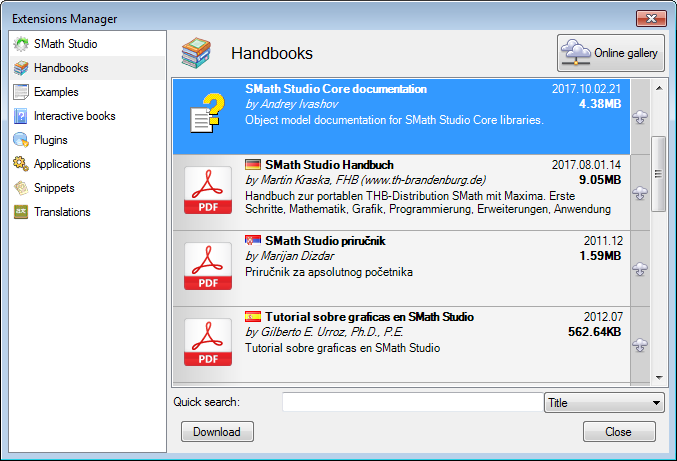
that's what I get on the fresh work sheet
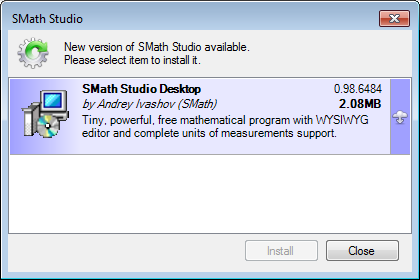
I presume, click on the cloud to install, will install the new version over 6179,
that means just patch for whatever codes that are new or refactored ?
Objectively all should be transparent.
Am I right/wrong ... don't want to damage 6179 !!!
Thanks, Jean
In this case, your installation is updated (you may also need to update some plugins).
To try the new version without harming your existing one, use the portable version (see my signature for a link) as a sandbox.
You simply unzip the archive anywhere and run the SMath exe in the new directory.
If you like this version, you can declare it as default application for .sm file using context menu in the file manager (Open with...).
1. ComboBoxRegion puts the assigned variable (aka the result) into a matrix. Other functions which use this variable then throw an error because you are trying to use a vector as opposed to a scalar.
2. Include and areas - Include will not include variables inside of an area.
Are these statements above correct?
WroteInclude will not include variables inside of an area.
"include" is wrt a referenced work sheet.
If it does not work ... disaster !
Please test with these two.
Genfit Algo Include.sm (13.57 KiB) downloaded 1537 time(s).
Genfit Algo Include Test.sm (16.88 KiB) downloaded 1487 time(s).
I tried to download an older stable SMath version, but I still have issues with Comobox plug-in. Is there a Combobox plug-in page I should post on? I'm not sure if it is a revision in the plug-in or the updated SMath.
Wrote1. ComboBoxRegion puts the assigned variable (aka the result) into a matrix. Other functions which use this variable then throw an error because you are trying to use a vector as opposed to a scalar.
I'm not able to reproduce this, works fine for me.
![2017-10-11 23_35_12-SMath Studio - [incl1.sm].png](/zh-Hans-CN/files/Download/WCbEu8/2017-10-11-23_35_12-SMath-Studio---[incl1.sm].png)
Wrote2. Include and areas - Include will not include variables inside of an area.
Confirmed, might be something in the plugin about the xml schema parsing (I can include correctly a file created with SS 0.97, then if I save the file with the latest SS the content is not fully loaded)
WroteIs there a Combobox plug-in page I should post on? I'm not sure if it is a revision in the plug-in or the updated SMath.
Better you open a new ticket in the BTS (attach there a small example that doesn't works for you).
I meant to reference the ComboBoxList (insert -> controls -> ComboBoxList). There must have been a change when using "Output = item's row". When I had used a column vector it would return the output as scalar. Not it returns it as in a matrix. This actually makes sense. I should change my sheets that that "Output = n-th element in the row", this would give me a scalar result.
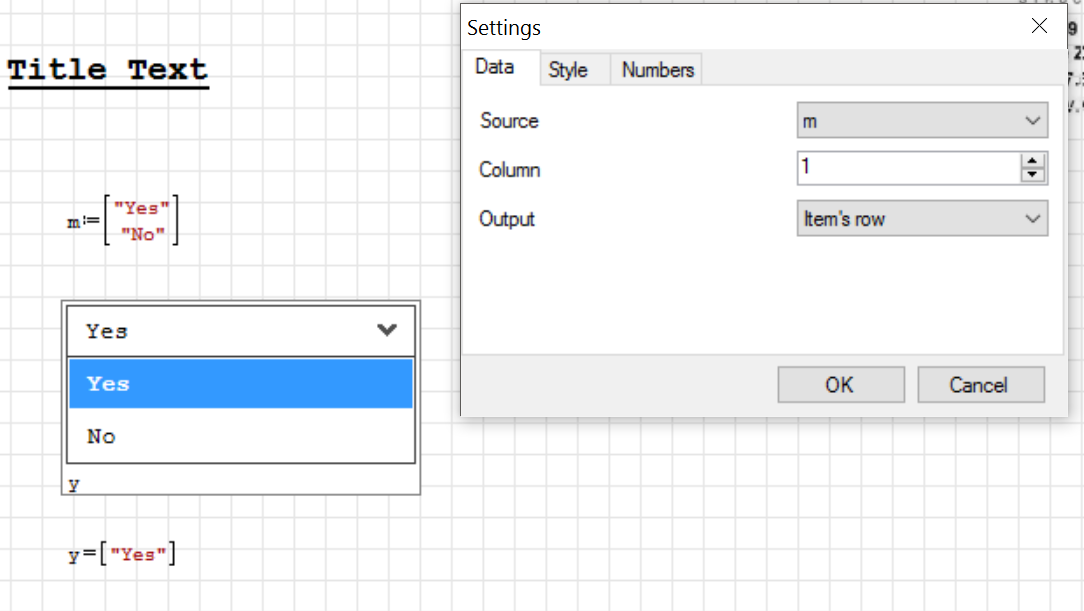
QuoteConfirmed, might be something in the plugin about the xml schema parsing (I can include correctly a file created with SS 0.97, then if I save the file with the latest SS the content is not fully loaded)
So the plugin needs to be updated? Is this doable or should I switch back to a previous version for the time being?
Thanks,
Ryan
- When updating/reusing a sheet, I delete the variable information to update the sheet. Depending on what is going on, the auto recalculate with "crash" the program and re-start. Right now I just will in the number 1 as I gather the information.
- Hidden regions cause a huge issue when cutting and moving when collapsed. I need to open up the hidden areas in order to move them.
WroteSo the plugin needs to be updated?
I think it should be updated; a simple diff of the included files shows that the only valuable difference in the worksheets is the namespace declaration that was added recently, my guess is that it is the source of the issues in the plugin (I've not checked the plugin code, but if you remove that attribute everything seems going fine again)

What do you suggest in the mean time? Is there a previous version that would allow this to work again? Or am I able to modify something that would allow the plugin to function "correctly".
Wrote@JEAN - Your examples do not work form me once I save and refresh them. Reason being - "Genfit Algo Include" is inside an "Area Region".
The "Include & Test" were created Smath 5346, still working Smath 6179.
Make sure the "Area region Plugin" is installed.
I found an issue in the ComboBoxList plugin. I updated Smath and plugins to new version (0.98 build:6484), and noticed that the values in the listbox don't match with the input values (I think in the previous version all was fine):
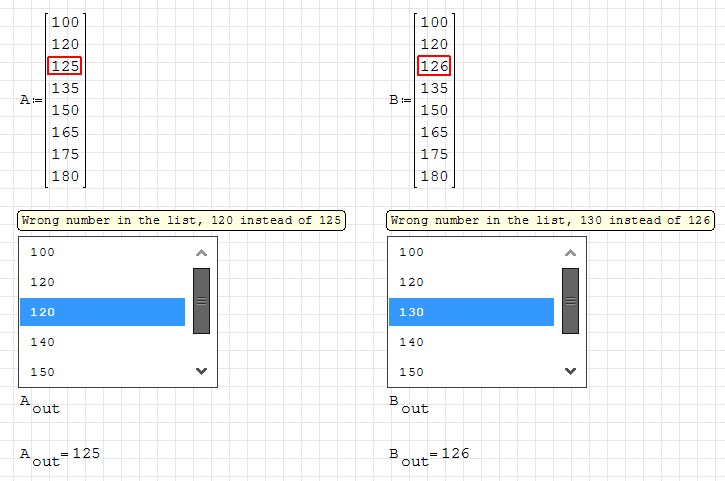
Here is a sample file:
ComboBoxList issue.sm (4.99 KiB) downloaded 1543 time(s).
Best regards
Peter Kaderasz
However, if I open your sm file, the numbers are displayed correctly.
WroteCould that be due to the number format setting? Seems that just two significant figures are displayed.
It is due to that; numbers are rounded to 2 significant digits, as set in the options of both the regions. Set it to 0 to not have this behavior.
![2017-11-02 09_42_49-SMath Studio - [ComboBoxList%20issue.sm_].png](/zh-Hans-CN/files/Download/nUMUQ3/2017-11-02-09_42_49-SMath-Studio---[ComboBoxList%20issue.sm_].png)
WroteHowever, if I open your sm file, the numbers are displayed correctly.
If you mean that you can read "126". that's strange; I'll look if might be some localization issue.
- New Posts
- No New Posts