
1 Pages (5 items)
[SS-3567] File corrupted after using region protection option - Messages

Hello,
I used protection regions on my smath sheet. Everything went fine until I close the sheet and try to reopen it. I can't expand areas no more (no "+" or "-" available anymore at the begining of the area), nor can I run calculations...
The file seems corrupted. It weights only 20kB...
Someone help please!
File is available here :corrupted file.sm (20.13 KiB) downloaded 1269 time(s)..
Thanks a lot
I used protection regions on my smath sheet. Everything went fine until I close the sheet and try to reopen it. I can't expand areas no more (no "+" or "-" available anymore at the begining of the area), nor can I run calculations...
The file seems corrupted. It weights only 20kB...
Someone help please!
File is available here :corrupted file.sm (20.13 KiB) downloaded 1269 time(s)..
Thanks a lot

Confirmed and reproduced; (also, reproducible using copy and paste on opened worksheets).
Unfortunately everything in the protected area is lost (not saved, hence not recoverable).
Bug reported as SS-3567.
Unfortunately everything in the protected area is lost (not saved, hence not recoverable).
Bug reported as SS-3567.
If you like my plugins please consider to support the program buying a license; for personal contributions to me: paypal.me/dcprojects
Thank you for having a look at it anyway.
WroteThank you for having a look at it anyway.
Thank you for reporting; as posted in the BTS the issue is fixed now and will be part of the next release.
If you like my plugins please consider to support the program buying a license; for personal contributions to me: paypal.me/dcprojects
Hi, I find a similar error when I use region protection and secondary areas are contained in the area.
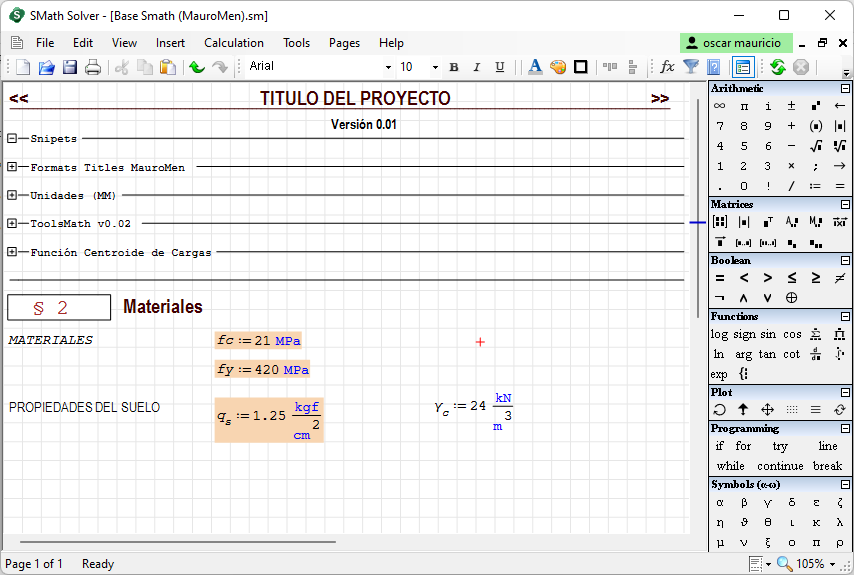.png)
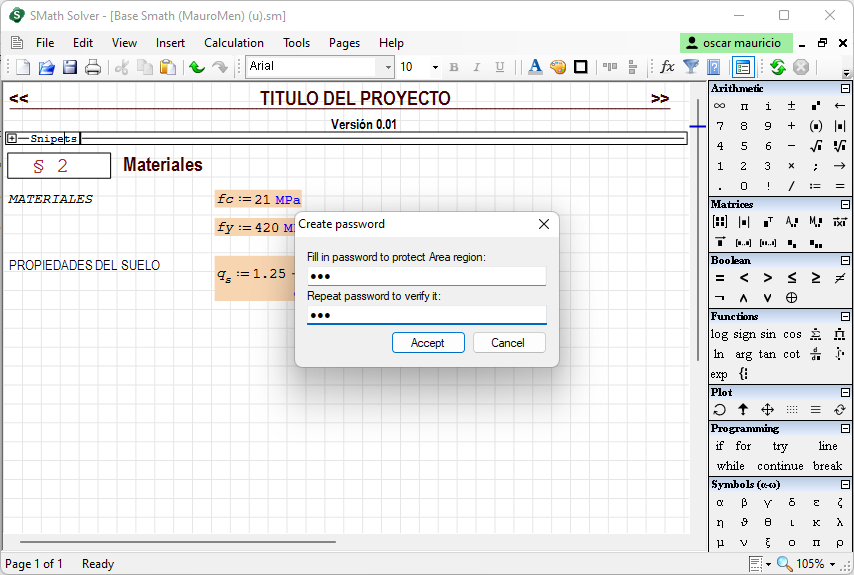.png)
When opening the sheet all content is protected
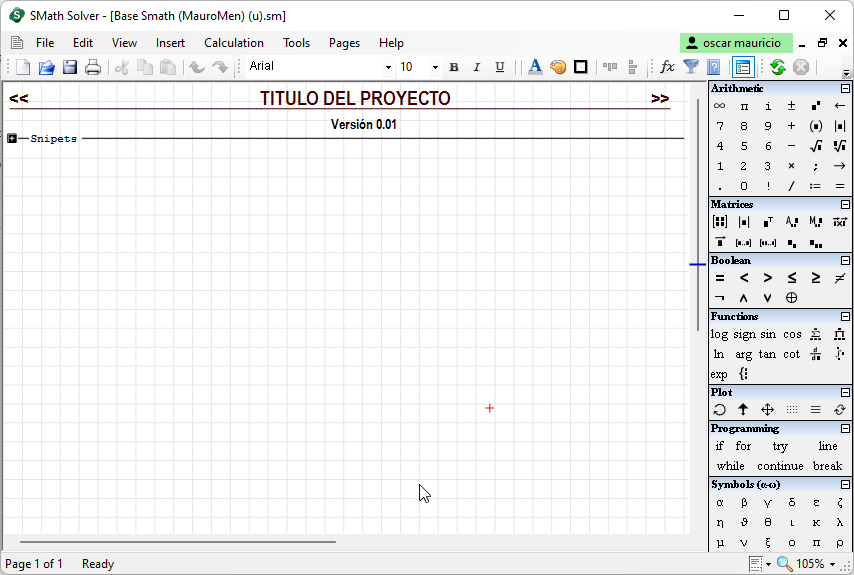.png)
I hope it could be improved in future versions.
When opening the sheet all content is protected
I hope it could be improved in future versions.
1 Pages (5 items)
- New Posts
- No New Posts