
Beta: SMath Studio 0.99.7632 (23 November 2020) - Messages

SMath Studio
Tiny, but powerful mathematical program with WYSIWYG editor and complete units of measurements support.
Download
SMathStudioDesktop.0_99_7632.Mono.tar.gz (1.42 MiB) downloaded 2809 time(s).
SMathStudioDesktop.0_99_7632.Setup.msi (2.3 MiB) downloaded 6944 time(s).
See also:
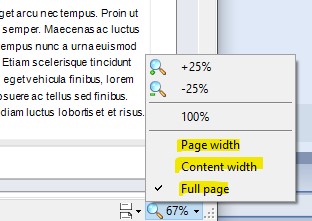
- New scaling modes:
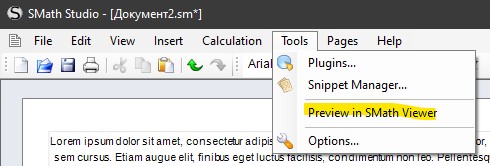
- Preview in SMath Viewer:
- Line breaks:

WroteHi Andrey,
Starting since version 0.99.7610, the EFI plugin doesn't work on one of my PCs, but works fine on another one.
I tried to investigate the issue and found that it happens after I set 32-bit flag for using the plugin.
Both computers run the same latest version of Win10_x64.
After starting 32b-"patched" SmathStudio, it pops up hole bunch of messages like "bla-bla-bla.dll is not found".
If I clear the 32bit flag, Smath starts OK, but of course EFI doesn't work.
The same "patched" SmathStudio works fine on another computer and EFI works too.
Could you please advice how to fix this strange issue?
Best Regards,
Igor
Possibly this is related to how you installed SMath Studio. If you directly download it from the web, then security settings in Windows may prevent some dlls from execution. Don't ask me why the executable can run but some dlls can't.
In the majority of the cases this can be fixed by copying the files to some flash drive and then copy them back. This seems to remove some obscure "dangerous" flag.
My observation is that not every computer is affected by this, possibly depends on the windows build.
This created quite some confusion when I was faced with a lot of students failing to install SMath during an introductory course. I was close to suspecting something broken in my portable distribution (see link in the signature). Once the workaround was found, I placed a hint on the download site.

> Changes introduced in current build
> Improvements
> ...
> Preview in SMath Viewer menu item added to Tools menu;
> ...
What's "SMath Viewer"?
Best regards.
Alvaro.
WroteHi. Sorry if it's a silly question, but, from the post I read:
> Changes introduced in current build
> Improvements
> ...
> Preview in SMath Viewer menu item added to Tools menu;
> ...
What's "SMath Viewer"?
Best regards.
Alvaro.
Hello.
Please look into the following thread for the details about SMath Viewer: https://en.smath.com/forum/yaf_postst1784_SMath-Viewer.aspx
Best regards
Wrote...
Please look into the following thread for the details about SMath Viewer: https://en.smath.com/forum/yaf_postst1784_SMath-Viewer.aspx
Best regards
Oh, thanks. I forgot that this is the name for make executables files. I guess that isn't the best name for that! Usually "Viewer" means a version for read files but without buying the software. There are also another "modes". Mathcad have some other. For instance, the web application server, with a lot of examples from Valery Ochkov. This could be a good bussines area for SMath for distribute worksheets in an enterprise intranet.
I think that the viewer "mode" is more than an "application server", but without a web based interface. Matlab have those both modes too. For example, this is the "Matlab expo" from an old version.
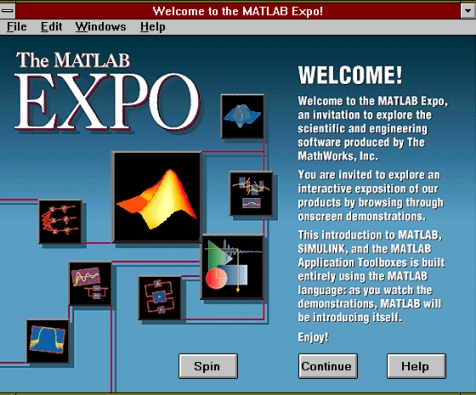
This is yow it look for one example
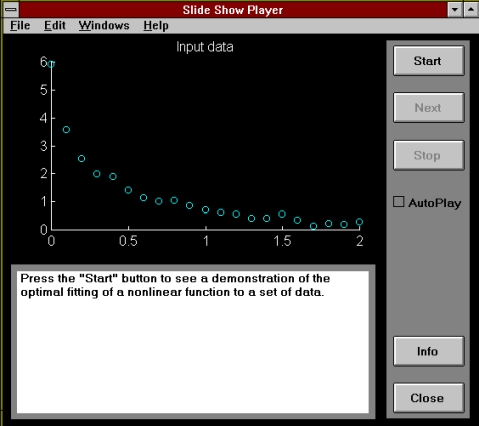
Notice that this could be called like a "slide mode" for matlab, but make those slides requires programming skills.
Mathcad demo mode that I have it's old: it's for DOS. Here the starting msg saying that it is free for distribute, under certain conditions:
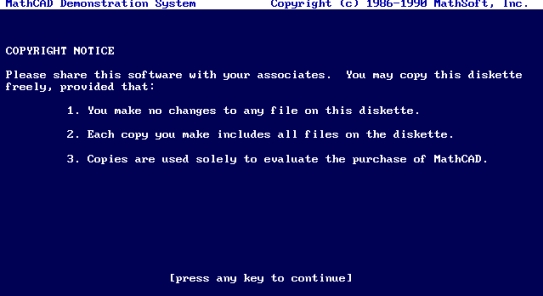
And here is how it looks:
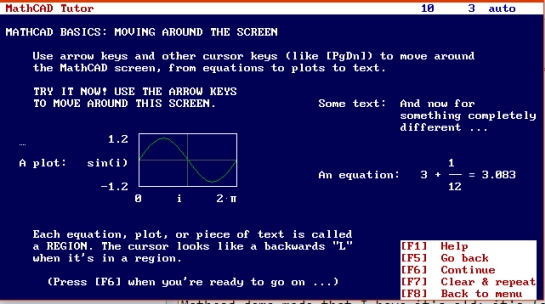
This is the demo folder for mathcad for DOS.
DEMO.ZIP (300.65 KiB) downloaded 1909 time(s).
Best regards.
Alvaro.
- New Posts
- No New Posts