
1 pagine (16 elementi)
Where are the plug-ins? - Messaggi

Hello,
I just installed on a new computer (windows 8.1) SMathStudioDesktop.0_97_5581.
The plug-ins looks to be installed but how I can call them?
They are not under "Insert".
Basile
I just installed on a new computer (windows 8.1) SMathStudioDesktop.0_97_5581.
The plug-ins looks to be installed but how I can call them?
They are not under "Insert".
Basile

Did you try to restart the program after plug-in installation?
Yes Andrey,
I restarted the program and the computer.
I attach the Insert menu and the Help>About.
Can I try something to help solve the problem?
Basile
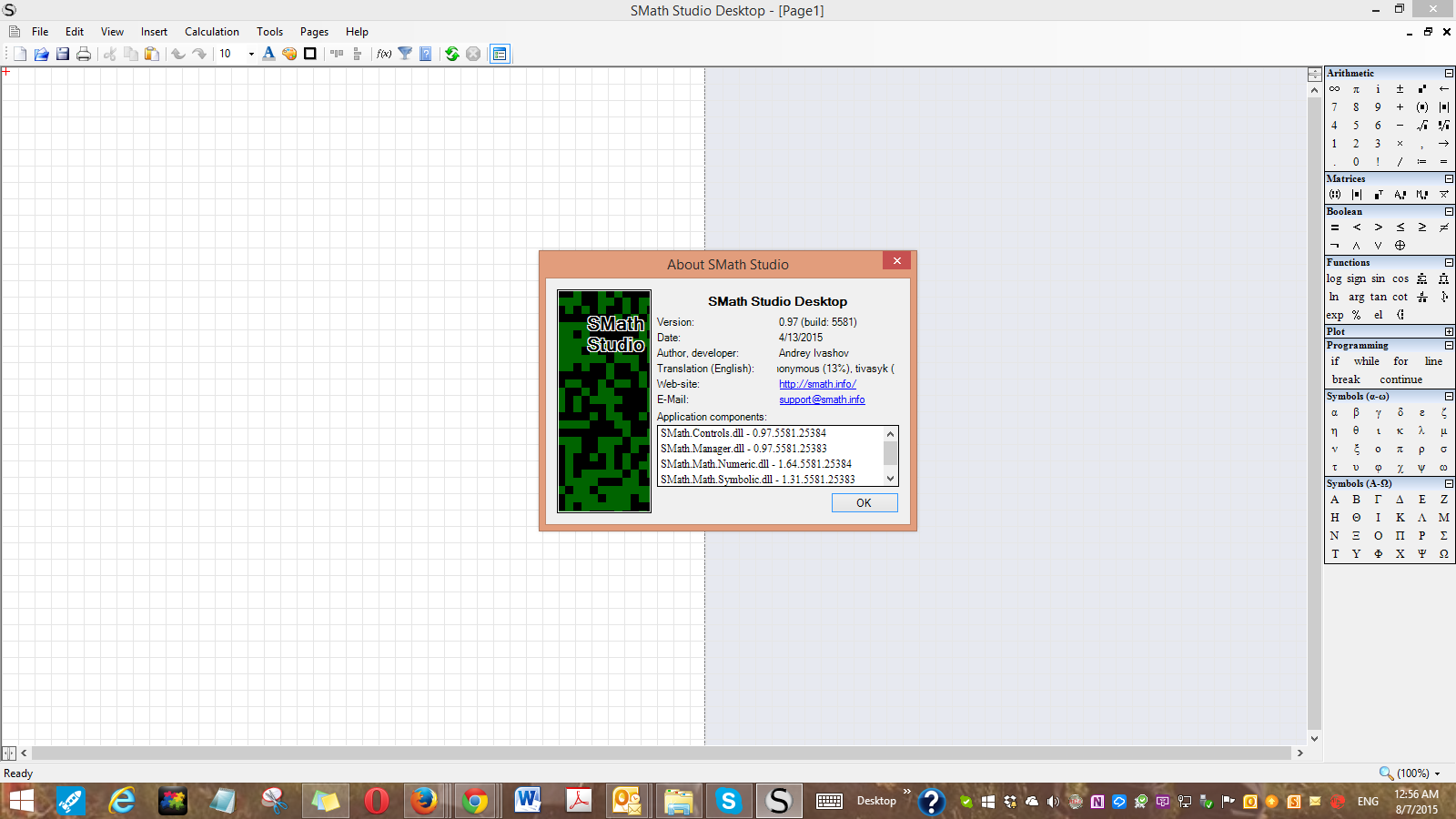
I restarted the program and the computer.
I attach the Insert menu and the Help>About.
Can I try something to help solve the problem?
Basile
Hello again,
The Plag-ins were installed during the installation of the program,
I did not do separate install.
Basile
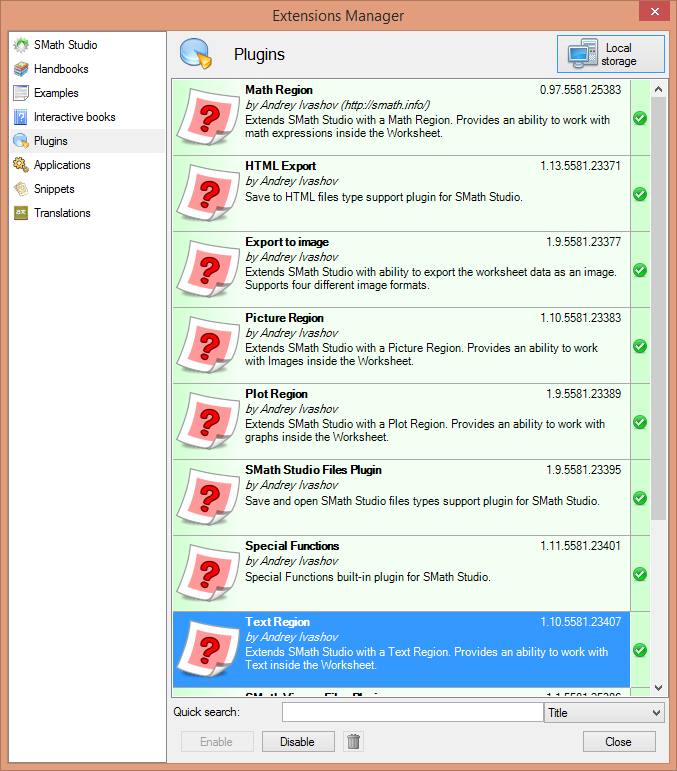
The Plag-ins were installed during the installation of the program,
I did not do separate install.
Basile

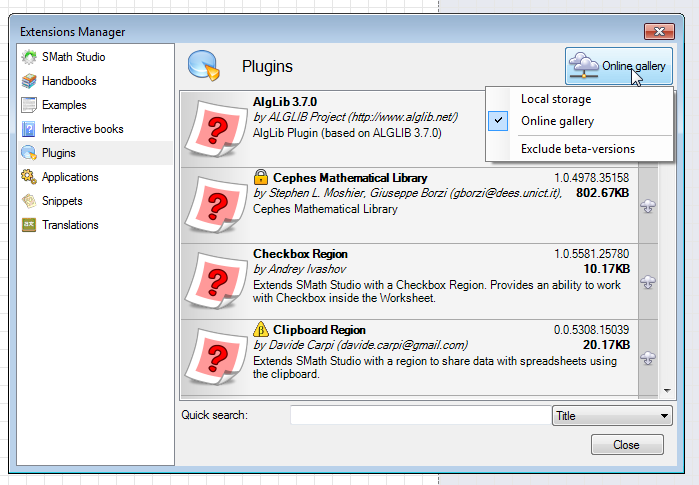
Looking at your screenshot seems you have just the built-in plug-ins (that is ok in a clean install). Have you tried to download a plugin from the gallery? (f.e. the "Checkbox Region" in the screenshot or any other Region plugin)
If you like my plugins please consider to support the program buying a license; for personal contributions to me: paypal.me/dcprojects
Davide,
Yes, this solves the problem.
The additional plug-ins are under "On-Line Gallery" button.
During installation the:
Clipboard Region
and
Nonlinear solver give an error
While the
Script Region
and
ZedGraph
fail
Thank you,
Basile
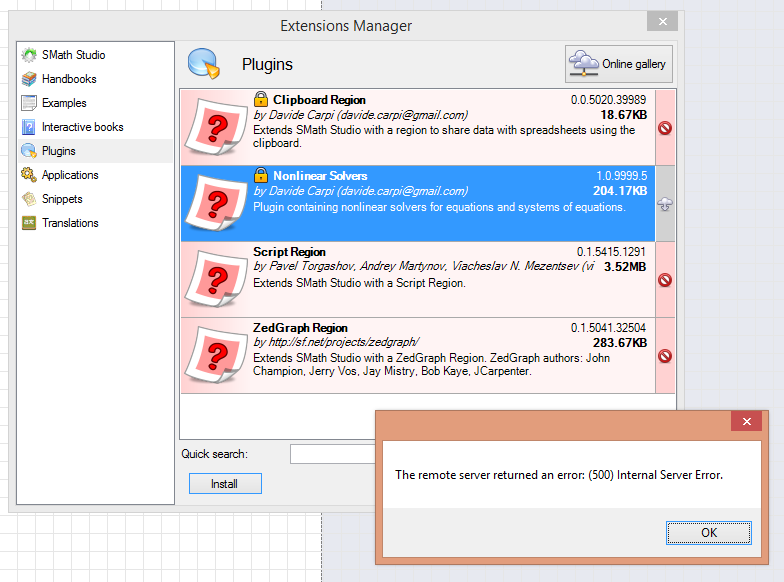
Yes, this solves the problem.
The additional plug-ins are under "On-Line Gallery" button.
During installation the:
Clipboard Region
and
Nonlinear solver give an error
While the
Script Region
and
ZedGraph
fail
Thank you,
Basile
The "Installation failed" error of Script Region/ZedGraph is because these plugins are made for an older version of SMath Studio. If you are interested on them, you may ask the author (uni) to update the plugins.
The server error on Nonlinear Solvers may be related to a wrong password (here the correct one)
I have not encountered issues downloading Clipboard Region.
The server error on Nonlinear Solvers may be related to a wrong password (here the correct one)
I have not encountered issues downloading Clipboard Region.
If you like my plugins please consider to support the program buying a license; for personal contributions to me: paypal.me/dcprojects
I was able to load the "NonlinearSolvers" by providing the correct password. Thank you.
But the other three, I do not know what to do. The "Enable" and "Disable" Buttons are inactive.
Basile
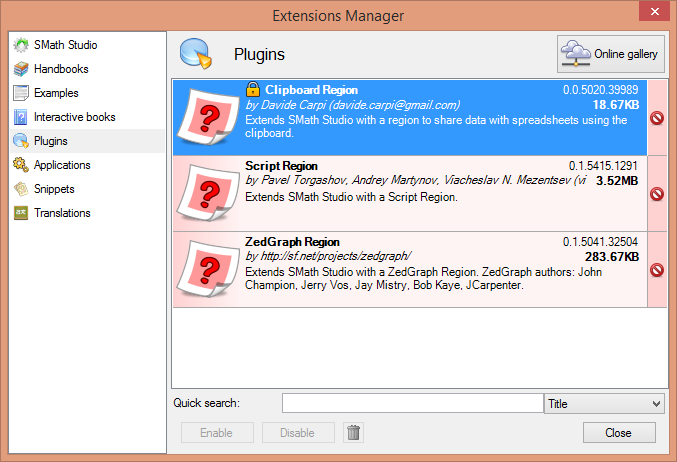
But the other three, I do not know what to do. The "Enable" and "Disable" Buttons are inactive.
Basile
I don't know why but the Clipboard Region is a version not compatible with your SMath Studio.
You have to delete the plugin manually;
- close SMath
- go to the folder %APPDATA%\SMath\extensions\plugins\
- delete the folder 0e45de64-570b-4407-8352-6fb6ab358782
The uninstall button disabled may happens if you have installed by yourself the plugins in the SMath studio folder (Program Files (x86)\SMath Studio\Plugins)
In the latter case delete any non built-in plugin from that folder.
Then open again SMath and check the gallery, you should see the Clipboard Region version 0.0.5308.15039. If you still have the older version let us know.
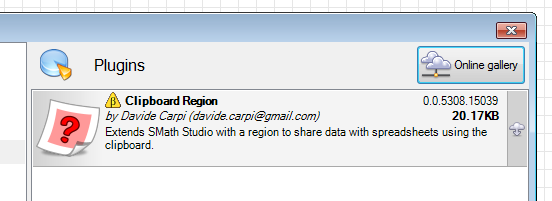
You have to delete the plugin manually;
- close SMath
- go to the folder %APPDATA%\SMath\extensions\plugins\
- delete the folder 0e45de64-570b-4407-8352-6fb6ab358782
The uninstall button disabled may happens if you have installed by yourself the plugins in the SMath studio folder (Program Files (x86)\SMath Studio\Plugins)
In the latter case delete any non built-in plugin from that folder.
Then open again SMath and check the gallery, you should see the Clipboard Region version 0.0.5308.15039. If you still have the older version let us know.
If you like my plugins please consider to support the program buying a license; for personal contributions to me: paypal.me/dcprojects
"...you should see the Clipboard Region version 0.0.5308.15039."
When I am opening SMath I get another version. (SMath07)
"The uninstall button disabled may happens if you have installed by yourself the plugins in ..."
I did default installation.
When I start SMath, I get (SMath06)
Basile
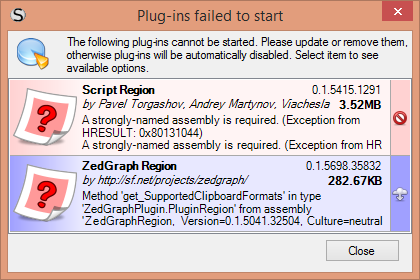
When I am opening SMath I get another version. (SMath07)
"The uninstall button disabled may happens if you have installed by yourself the plugins in ..."
I did default installation.
When I start SMath, I get (SMath06)
Basile

Basile, ZedGraph and Script - these plugins haven't been updated properly. Some of my plugins are unstable (maple 5 probably). All other my plugins was updated yesterday. If you see another version this means that the author working on it.
Russia ☭ forever, Viacheslav N. Mezentsev
The Clipboard Region still (after deleting the plugin from its folder)appears as an older version 0.0.5020.39989 instead of the newer version in the Extensions Manager>Online Gallery.
Attempt to install results in Installation failure.
Please, see icon in previous message above.
Any ideas?
Basile
Attempt to install results in Installation failure.
Please, see icon in previous message above.
Any ideas?
Basile
Because your is a full clean installation I suspect there's a server-side error, or some settings wrong with my previous upload...
I've recompiled and uploaded the plugin for the latest beta build (SS 0.97.5581), please check if this is available and works for you (ClipboardRegion version 0.0.5700.*)
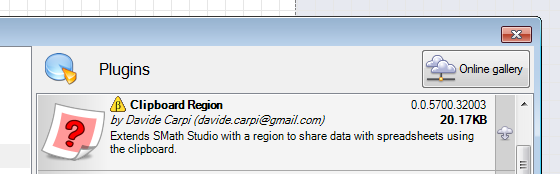
I've recompiled and uploaded the plugin for the latest beta build (SS 0.97.5581), please check if this is available and works for you (ClipboardRegion version 0.0.5700.*)
If you like my plugins please consider to support the program buying a license; for personal contributions to me: paypal.me/dcprojects
I deleted the existing plugin according to the instructions provided in previous email above.
I restarted SMath.
I do not get the newest version.
Any suggestion? Uninstall and install. I would be happy to help.
Basile
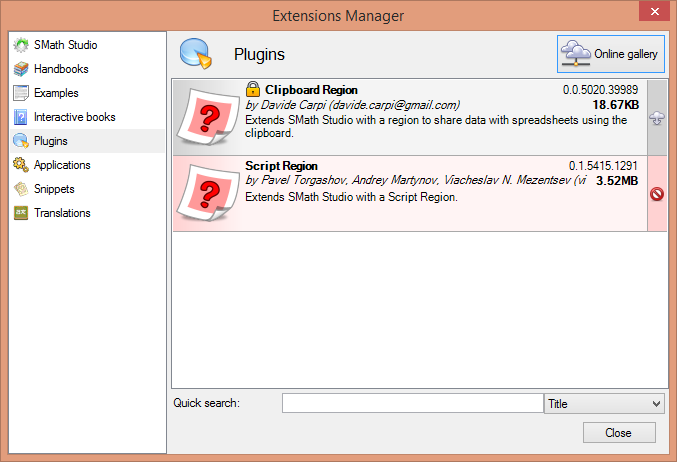
I restarted SMath.
I do not get the newest version.
Any suggestion? Uninstall and install. I would be happy to help.
Basile
Ioan,
I used Geek to uninstall it.
I installed. Same problem
I used Geek to uninstall again.
I install a previous version of SMath. Same problem.
How it is possible to see a version that I assume is not in the server because it has been updated?
Basile
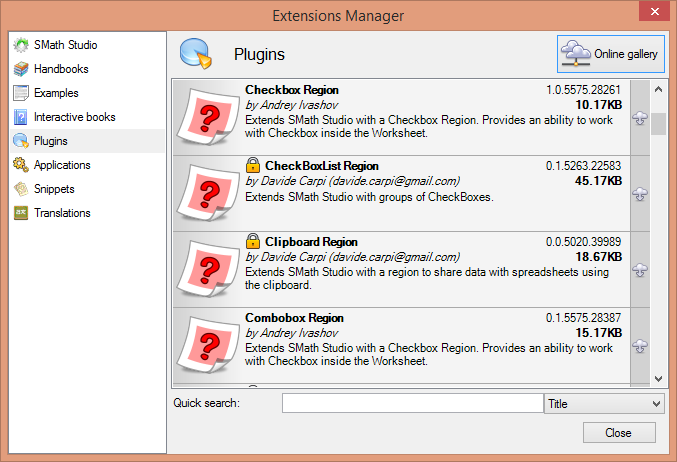
I used Geek to uninstall it.
I installed. Same problem
I used Geek to uninstall again.
I install a previous version of SMath. Same problem.
How it is possible to see a version that I assume is not in the server because it has been updated?
Basile
The server contains all the plugins published. Each plugin has a target version (because the changes in the SMath core may add/remove features for the external plugins) and you should be able to view and download just the most recent plugin for your version of SMath Studio; therefore if you have the latest Nightly Build you should see the latest Clipboard Region and not the previous, while you should see an older version if you are using (f.e.) the latest stable plugin.
In your first screenshot pair (SS 0.97.5581) the most recent plugin (0.0.5700) is not displayed, I think just Andrey can solve this...
In your first screenshot pair (SS 0.97.5581) the most recent plugin (0.0.5700) is not displayed, I think just Andrey can solve this...
If you like my plugins please consider to support the program buying a license; for personal contributions to me: paypal.me/dcprojects
1 utenti hanno apprezzato questo post
ioan92 12/08/2015 10:26:00
1 pagine (16 elementi)
- Nuovi post
- Nessun nuovo post