
1 pagine (8 elementi)
format results polar in degrees - How to show matrix results in polar format in degrees - Messaggi

I am one tiny step away from freeing myself of Mathcad Prime. I just need to know how to format the result of a matrix/vector operation so it is in polar form with angle in degrees. The attached image is a snip from a Mathcad result. How is this possible in SMath?
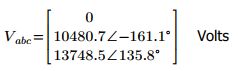
best regards,
russ
best regards,
russ
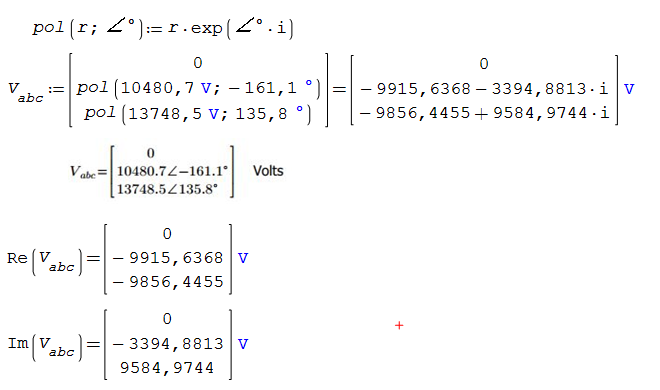
See
https://smath.com/en-US/forum/topic/kAz5NZ/How-to-do-polar-form-like-mathcad_
Modificato 13/10/2025 06:59:51
Thank you. That does not address formatting a vector result in polar with degrees (what I'm after) as best I can tell. I want to display my resulting vector in polar with degrees.
Also, I tested the "pol" function and it assumes the angle is in radians.
Worksheet1.sm (10,64 KiB) scaricato 1120 volta(e).
Also, I tested the "pol" function and it assumes the angle is in radians.
Worksheet1.sm (10,64 KiB) scaricato 1120 volta(e).
Hi. You can try something like this, using the table plugin.
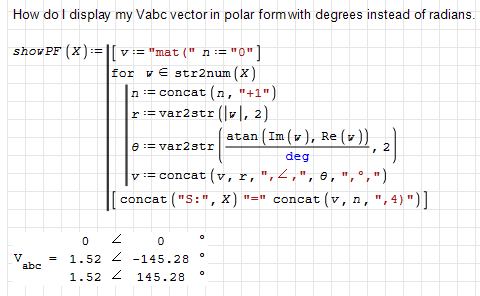
showPolarForm.sm (18,3 KiB) scaricato 1157 volta(e).
Best regards.
Alvaro.
showPolarForm.sm (18,3 KiB) scaricato 1157 volta(e).
Best regards.
Alvaro.
1 utenti hanno apprezzato questo post
Russ Patterson 14/10/2025 18:01:09
Thank you. That works rather well.
1) Is there a way to hide that showPF function at top of my worksheet?
2) I can't figure out how to make it report a very tiny imaginary component as zero. See bottom of attached. showPolarForm.sm (20,74 KiB) scaricato 1188 volta(e).
best regards,
russ
p.s. It would also be great if we could control the table borders at an individual column level - so I can make it look like brackets around the results.
1) Is there a way to hide that showPF function at top of my worksheet?
2) I can't figure out how to make it report a very tiny imaginary component as zero. See bottom of attached. showPolarForm.sm (20,74 KiB) scaricato 1188 volta(e).
best regards,
russ
p.s. It would also be great if we could control the table borders at an individual column level - so I can make it look like brackets around the results.

1) Menu --> Insert --> Area. Place the functions you want to hide between the two lines. Then click the little square with the – sign to collapse the area."
sergio
sergio
1 utenti hanno apprezzato questo post
Russ Patterson 14/10/2025 20:42:47
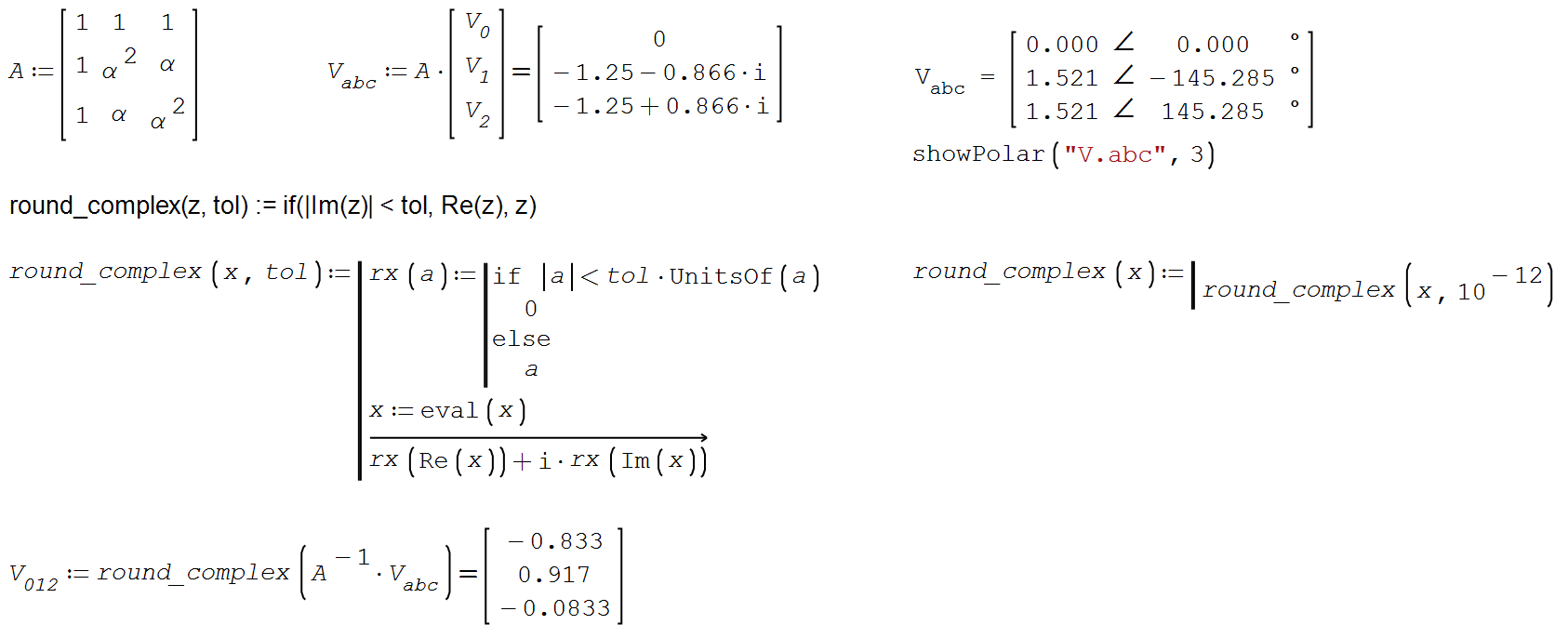
2 utenti hanno apprezzato questo post
Outstanding! thank you
1 pagine (8 elementi)
- Nuovi post
- Nessun nuovo post