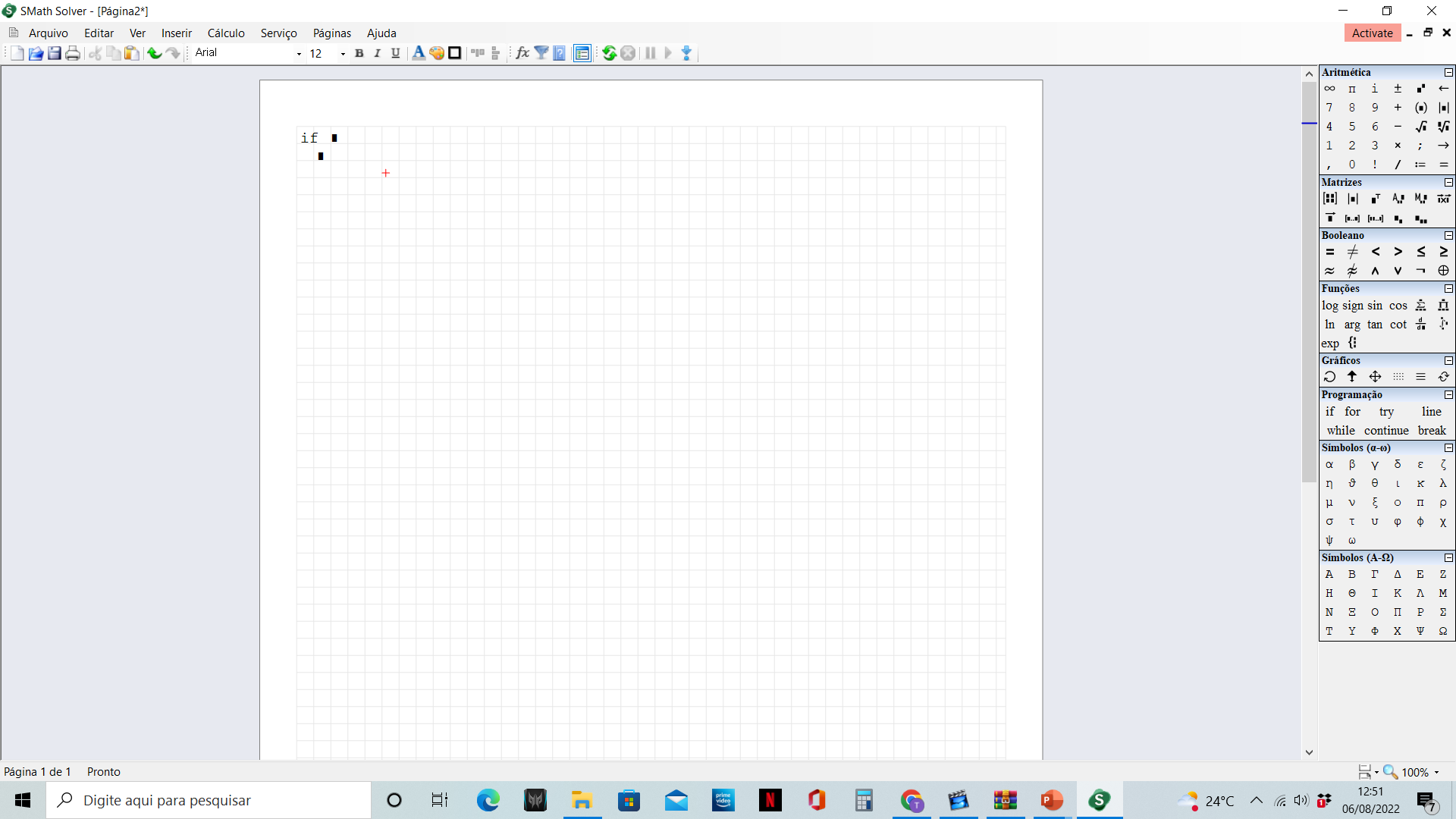
"Else" statement not appearing when I choose "if" from the programming pallete

"Else" statement not appearing when I choose "if" from the programming pallete - Problem using the if function from the programming pallete - Mensajes

#1 Publicado: 6/8/2022 12:59:16
James Mazon

James Mazon

0 me gusta en 2 mensajes.

Grupo: User

Hello,

I´m having problems with the if function on the programming pallete. When I choose "if" from the pallete it just shows two lines, there is no else anymore like on the image in the attachment. If I recall correctly the else statement used to automatically appear when you choose the "if" function from the pallete. Could someone help me understand what´s happening?

Mostrar spoiler

#2 Publicado: 6/8/2022 14:03:26
sergio

sergio

127 me gusta en 342 mensajes.

Grupo: User

First of all, check in Tools-Option-->Interface-->Arguments separators which setting you set up. They are possible "," "." ";".
Suppose it is ";".
In the placeholder digit once ";" to get Else or ";;" to get Elseif
sergio

#3 Publicado: 7/8/2022 12:12:44
James Mazon

James Mazon

0 me gusta en 2 mensajes.

Grupo: User

Thank you! It worked
  • Nuevos mensajes
  • Sin mensajes nuevos