
1 páginas (6 elementos)
How to render an equation on viewer? - Mensajes

Hi,
I'm working on a simple app for training on Slide Rule use (for my personal purposes), and I can generate problems for practicing that involves multiply, division, pi, x^2, sqrt(x), and so on. But when I run the generated app, the equations are not shown in that fancy style as in SMath.
Please take a Look:
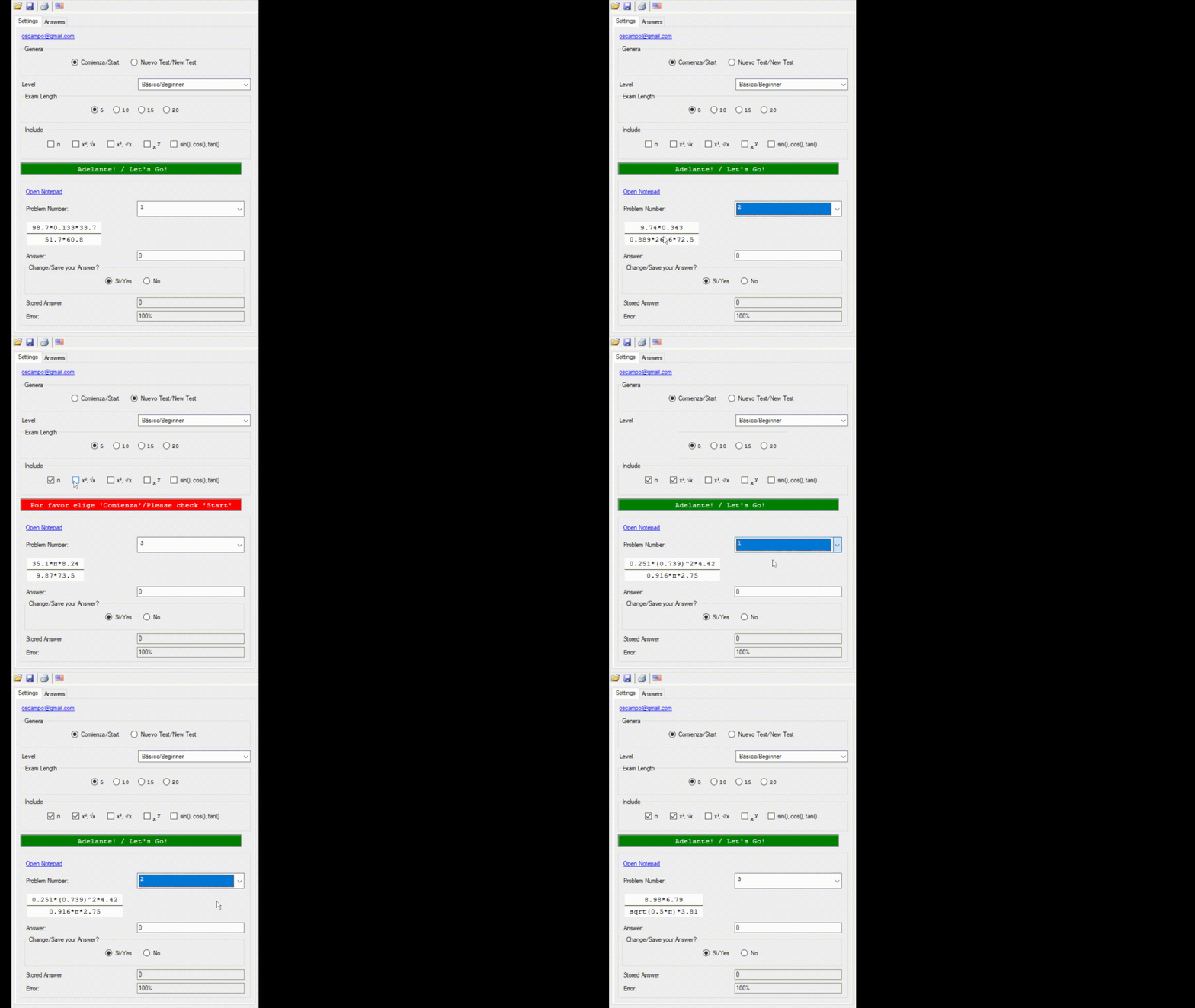
So, maybe anybody has an idea how to render these equations in the viewer?
Oscar
I'm working on a simple app for training on Slide Rule use (for my personal purposes), and I can generate problems for practicing that involves multiply, division, pi, x^2, sqrt(x), and so on. But when I run the generated app, the equations are not shown in that fancy style as in SMath.
Please take a Look:
So, maybe anybody has an idea how to render these equations in the viewer?
Oscar

WroteHi,
I'm working on a simple app for training on Slide Rule use (for my personal purposes), and I can generate problems for practicing that involves multiply, division, pi, x^2, sqrt(x), and so on. But when I run the generated app, the equations are not shown in that fancy style as in SMath.
Please take a Look:
So, maybe anybody has an idea how to render these equations in the viewer?
Oscar
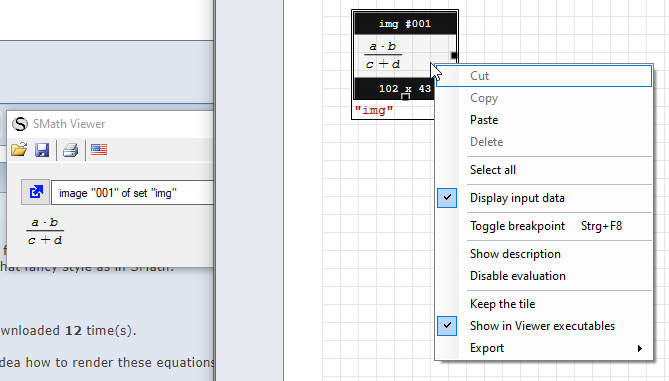
You can use a snapshot region, but it has decorations in the viewer which you might not want.
Technische Mechanik mit SMath Studio: https://link.springer.com/book/10.1007/978-3-658-50592-9
A 1 usuarios les gustó este mensaje
Oscar Campo 1/7/2021 17:15:00
CitarYou can use a snapshot region, but it has decorations in the viewer, which you might not want.
Thanks for the suggestion, but this technique evaluates any operation/number included in the equation, and I have equations with numbers that I don't need to be evaluated.
Hola Oscar. It is not The solution, but maybe a half of it: the radio button list accept "Symbolic" as an option for view (but not "None", which I guess that it is what you need). BTW maybe some expressions could be showed as you want.
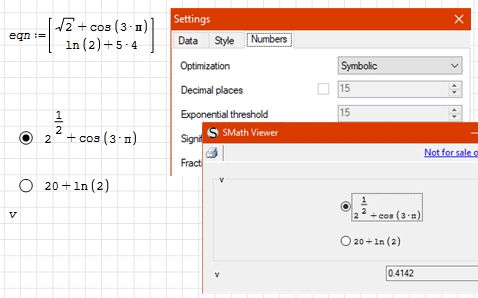
Best regards.
Alvaro.
Best regards.
Alvaro.
A 1 usuarios les gustó este mensaje
Oscar Campo 3/7/2021 17:38:00
Similarly to X_Y plot, the background color of snapshot
is the active background color [any of 16777216 ... !]
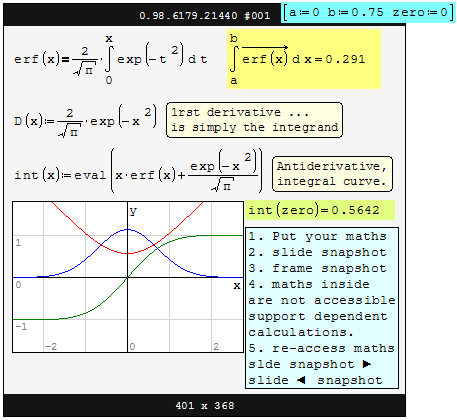
is the active background color [any of 16777216 ... !]
WroteHola Oscar. It is not The solution, but maybe a half of it: the radio button list accept "Symbolic" as an option for view (but not "None", which I guess that it is what you need). BTW maybe some expressions could be showed as you want.
Best regards.
Alvaro.
Thank you for your idea!.
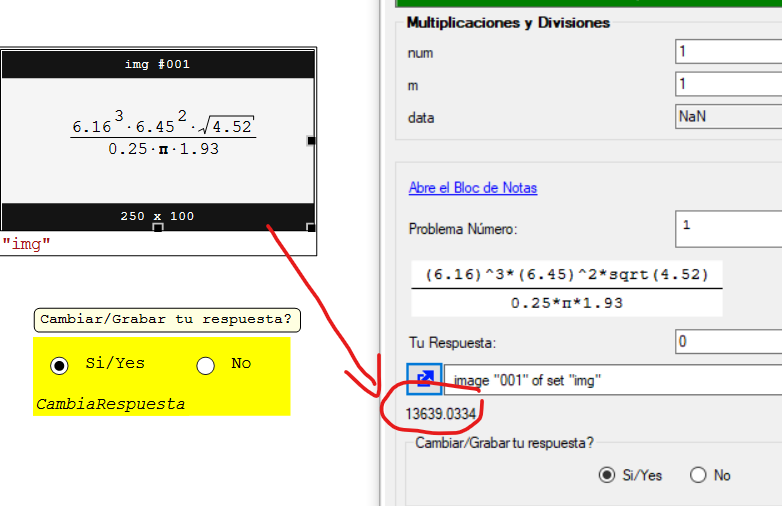
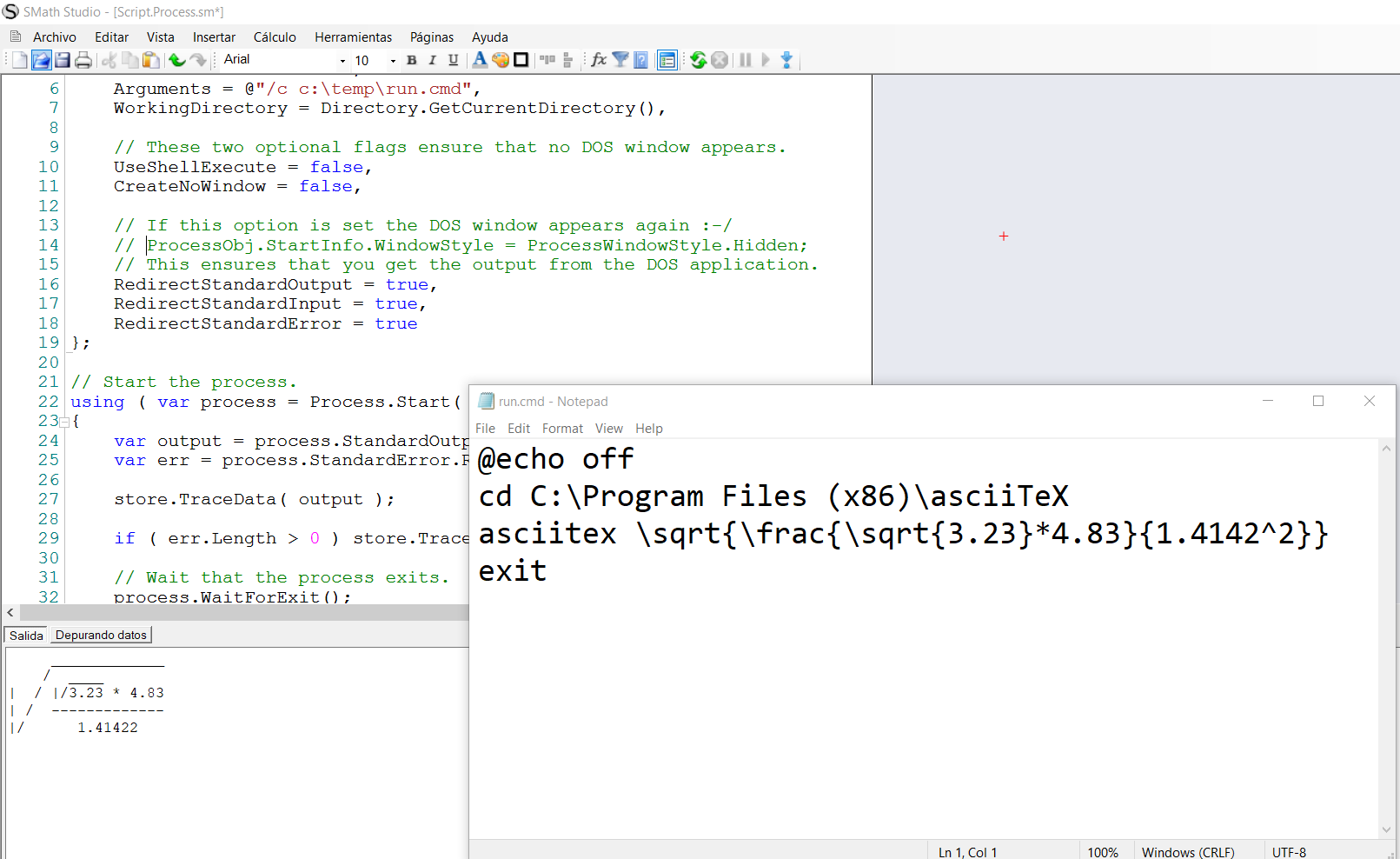
By the way, I'm trying a fancier solution, by using ScriptRegion and a DOS app to render equations to plain text, as you can view:
1 páginas (6 elementos)
- Nuevos mensajes
- Sin mensajes nuevos