
1 páginas (6 elementos)
search and replace - replacing multiple words - Mensajes

Hello friends. Is there a search/replace function in sMath Studio? Sometimes you decide to change a variable name from x to x1, for example. If there is a “search, replace all”, then you don’t have to do it one by one and it will save a lot of time.

In a region, you can use the F8 key an you'll be able to rename all local variables/functions at once.
Globally, you can do it with the Text Region Utilities plugin.
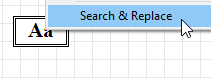
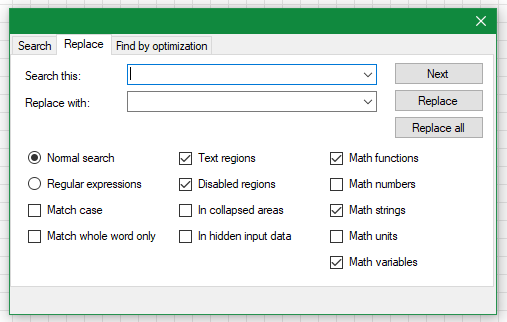
Globally, you can do it with the Text Region Utilities plugin.
If you like my plugins please consider to support the program buying a license; for personal contributions to me: paypal.me/dcprojects
A 1 usuarios les gustó este mensaje
Andrey Ivashov 20/1/2018 10:13:00
Hello Davide,
Thank you very much for your help. I downloaded 2 files: TextRegionUtilities.csproj and TextRegionUtilities.sln. How do I install them in sMath? And how do I use them to “replace all”?
Thank you again friend.
Thank you very much for your help. I downloaded 2 files: TextRegionUtilities.csproj and TextRegionUtilities.sln. How do I install them in sMath? And how do I use them to “replace all”?
Thank you again friend.
In your Smath Studio, go to: Tools > Plugins... > [switch the top-right button: Local Storage > Online Gallery] and search the plugin, then double click it or click on the install button, that's all 
If you like my plugins please consider to support the program buying a license; for personal contributions to me: paypal.me/dcprojects
Citar
In your Smath Studio, go to: Tools > Plugins... > [switch the top-right button: Local Storage > Online Gallery] and search the plugin, then double click it or click on the install button, that's all Good
Dear mr. Carpi
When I have reached the Online Gallery according your instructions the notebook freezes completely. Only the cursor can be moved. A lot of windows can be opened but nothing can be executed. The notebook can only be switched off by swithing off the power. (Pushing the on/off switch during 5 seconds.)
SMathStudiodesktop.099.6622
Lenovo Ideapad 500
Linux Mint 18 Cinnamon
Best regards,
oftheair
The F8 method works top/bottom within program, but fails partially in many more instances,
just follow/watch what has been changed/replaced ... as you may have to do individually.
just follow/watch what has been changed/replaced ... as you may have to do individually.
1 páginas (6 elementos)
- Nuevos mensajes
- Sin mensajes nuevos