
1 Pages (9 items)
Truble with Clear()-procedure - Messages

Hello,
The following input;
does not work as expected. Why?
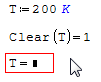
The following input;
T:=200 K
Clear(T)=1
T=200 K
Clear(T)=1
T=200 K
does not work as expected. Why?
Pretty mystic ?
Thank you, but:
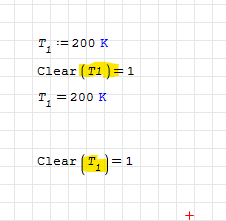
T.1:=200 K
Clear(T.1)=1
T.1=200 K
will not work...
T.1:=200 K
Clear(T.1)=1
T.1=200 K
will not work...
WroteThank you, but:
T.1:=200 K
Clear(T.1)=1
T.1=200 K
will not work...
Just reproduce the image posted.
Can you post your .sm file?
Feel free to join the SMath Studio Users Discord Channel: https://discord.gg/PayZpJW
WroteCan you post your .sm file?
YES: needed. 'T' may represent a previous matrix,
or some otherwise argument ... ?
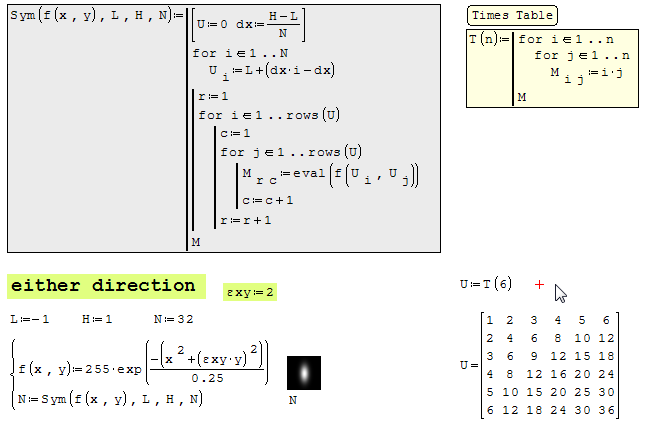
In this demo: Sym(f(x,y),L,H,N)
is my universal image algo creator, based internally on 'U'
which 'U' is set to '0' from any other existing creation,
whether vector/matrix.
is my universal image algo creator, based internally on 'U'
which 'U' is set to '0' from any other existing creation,
whether vector/matrix.
1 Pages (9 items)
- New Posts
- No New Posts