
1 pagine (9 elementi)
[DEV] CustomRegions - OnKeyPress - Messaggi

I was wondering if it was possible to have the OnKeyPress event handler in custom regions... f.e. would be useful to filter the inputs in the region placeholder (the onkeydown doesn't allow to detect all the characters, like the left parenthesis)
If you like my plugins please consider to support the program buying a license; for personal contributions to me: paypal.me/dcprojects

I join the request.
I'm trying to make an editor for scripts and I need more events:
OnKeyUp, OnKeyPress
OnClick, OnDoubleClick,
OnGotFocus, OnLostFocus
Now I have to somehow imitate them.
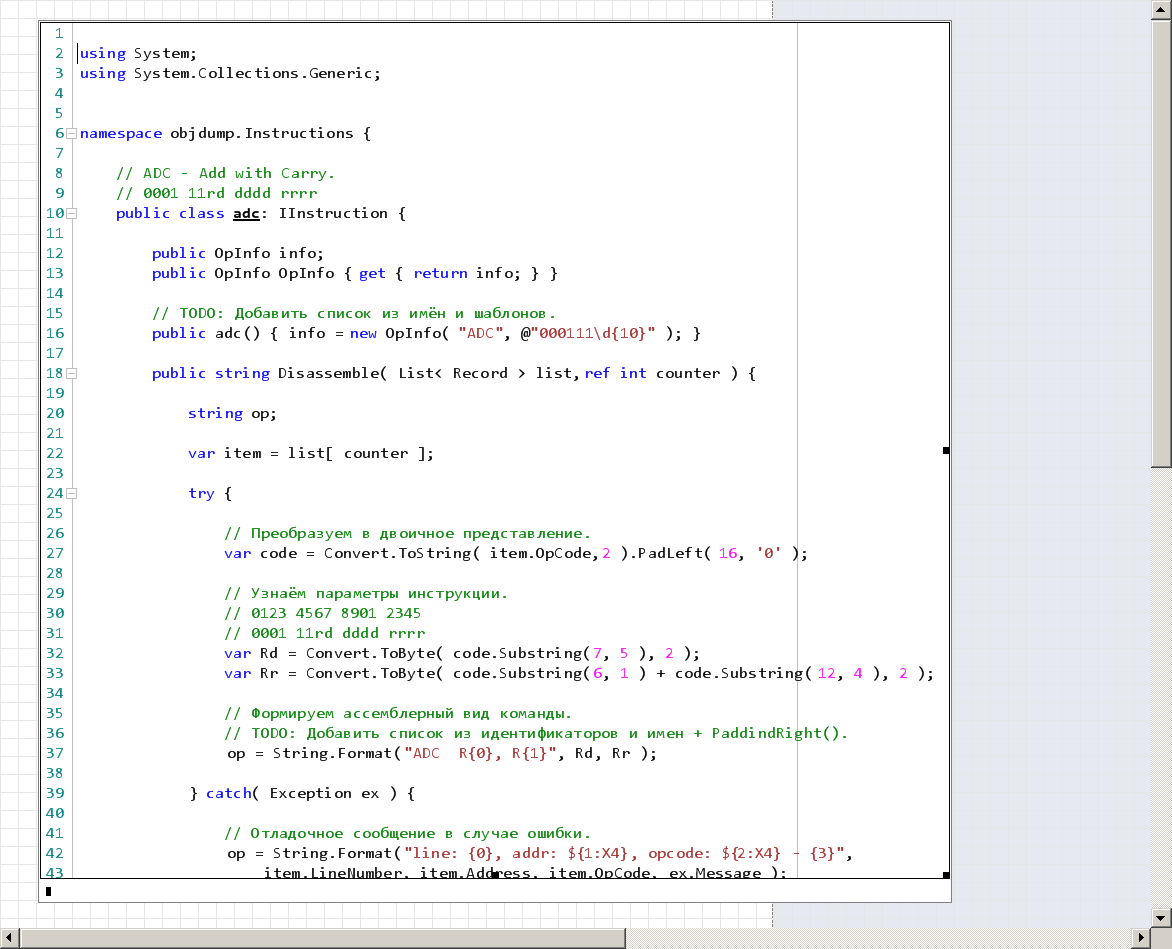
I'm trying to make an editor for scripts and I need more events:
OnKeyUp, OnKeyPress
OnClick, OnDoubleClick,
OnGotFocus, OnLostFocus
Now I have to somehow imitate them.
Russia ☭ forever, Viacheslav N. Mezentsev
1 utenti hanno apprezzato questo post
Davide Carpi 19/04/2014 09:19:00
Thank you Viacheslav, I'll add these requests in SS-72 
Best wishses and Happy Easter,
Davide
P.S.: do you know something about these (incomplete?) interfaces: IRegionWithEditableText, IRegionWithInputData ?
Best wishses and Happy Easter,
Davide
P.S.: do you know something about these (incomplete?) interfaces: IRegionWithEditableText, IRegionWithInputData ?
If you like my plugins please consider to support the program buying a license; for personal contributions to me: paypal.me/dcprojects
1 utenti hanno apprezzato questo post
Вячеслав Мезенцев 19/04/2014 09:37:00
WroteThank you Viacheslav, I'll add these requests in SS-72
Best wishses and Happy Easter,
Davide
P.S.: do you know something about these (incomplete?) interfaces: IRegionWithEditableText, IRegionWithInputData ?
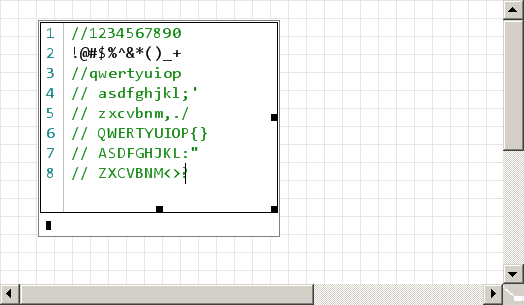
Unfortunately, no. But I can tell how to simulate OnKeyPress().
public class KeyCodeToAscii {
[DllImport("User32.dll" ]
public static extern int ToAscii(int uVirtKey, int uScanCode, byte[] lpbKeyState, byte[] lpChar, int uFlags);
[DllImport("User32.dll"]
public static extern int GetKeyboardState(byte[] pbKeyState);
public static char GetAsciiCharacter(int uVirtKey) {
var lpKeyState = new byte[256];
GetKeyboardState( lpKeyState );
var lpChar = new byte[2];
if ( ToAscii( uVirtKey, 0, lpKeyState, lpChar, 0 ) == 1) {
return Convert.ToChar( ( lpChar[0] ) );
} else {
return new char();
}
}
}
and
public override void OnKeyDown( KeyEventArgs e ) {

    var keyChar = KeyCodeToAscii.GetAsciiCharacter( e.KeyValue );

    OnKeyPress( new KeyPressEventArgs( keyChar ) );
}

public void OnKeyPress( KeyPressEventArgs e ) {

    // ...
}
Russia ☭ forever, Viacheslav N. Mezentsev
1 utenti hanno apprezzato questo post
Davide Carpi 19/04/2014 09:37:00
WroteUnfortunately, no. But I can tell how to simulate OnKeyPress().
Really good hint... starting from here, I've deeply searched and in the end I've found this: http://stackoverflow.com/questions/370754/convert-a-keycode-to-the-relevant-display-character
Here a small adaptation:
using System;
using System.Diagnostics;
using System.Windows.Forms;
using System.Runtime.InteropServices;
using System.Text;

namespace ComboBoxListRegion
{
	/// <summary>
	/// hook adapted from: http://stackoverflow.com/questions/370754/convert-a-keycode-to-the-relevant-display-character
	/// </summary>
	public class KeyboardHelper
	{
		[DllImport("user32.dll", CharSet = CharSet.Unicode, ExactSpelling = true)]
        private static extern int ToUnicodeEx(
            uint wVirtKey,
            uint wScanCode,
            Keys[] lpKeyState,
            StringBuilder pwszBuff,
            int cchBuff,
            uint wFlags,
            IntPtr dwhkl);

        [DllImport("user32.dll", ExactSpelling = true)]
        internal static extern IntPtr GetKeyboardLayout(uint threadId);

        [DllImport("user32.dll", ExactSpelling = true)]
        internal static extern bool GetKeyboardState(Keys[] keyStates);

        [DllImport("user32.dll", ExactSpelling = true)]
        internal static extern uint GetWindowThreadProcessId(IntPtr hwindow, out uint processId);

        public static string CodeToString(int scanCode)
        {
            uint procId;
            uint thread = GetWindowThreadProcessId(Process.GetCurrentProcess().MainWindowHandle, out procId);
            IntPtr hkl = GetKeyboardLayout(thread);

            if (hkl == IntPtr.Zero)
            {
                MessageBox.Show("Sorry, that keyboard does not seem to be valid.";
                return string.Empty;
            }

            Keys[] keyStates = new Keys[256];
            if (!GetKeyboardState(keyStates))
                return string.Empty;

            StringBuilder sb = new StringBuilder(10);
            int rc = ToUnicodeEx((uint)scanCode, (uint)scanCode, keyStates, sb, sb.Capacity, 0, hkl);
            return sb.ToString();
        }
	}
}
and
public override void OnKeyDown( KeyEventArgs e ) {

	string keyChar = KeyboardHelper.CodeToString( e.KeyValue );

	if (keyChar != String.Empty)
		OnKeyPress( new KeyPressEventArgs( (char)keyChar[0] ) );
}

public void OnKeyPress( KeyPressEventArgs e ) {

    // ...
}
This works also with Cyrillic and Greek

If you like my plugins please consider to support the program buying a license; for personal contributions to me: paypal.me/dcprojects
1 utenti hanno apprezzato questo post
Вячеслав Мезенцев 03/05/2014 05:16:00
Andrey gave me to test the latest build. There OnKeyPress event is present. You can ask him for more events. Unfortunately, many of the events do not come to the component. For example, the arrow keys.
Russia ☭ forever, Viacheslav N. Mezentsev
1 utenti hanno apprezzato questo post
Davide Carpi 03/05/2014 05:28:00
WroteAndrey gave me to test the latest build. There OnKeyPress event is present. You can ask him for more events.
Many thanks

WroteUnfortunately, many of the events do not come to the component. For example, the arrow keys.
We have the OnKeyDown event, so we can handle the arrows from here (or I'm missing something?
 )
public override void OnKeyDown(KeyEventArgs e)
{
	if (!(this.ShowDescription && this.Description.Focused))
	{
		if (e.KeyCode == Keys.Return)
		{
		  // ...
		}
		else if (e.KeyCode == Keys.Up)
		{
		  // ...
		}
		else if (e.KeyCode == Keys.Down)
		// ...
	}
	base.OnKeyDown(e);
}
If you like my plugins please consider to support the program buying a license; for personal contributions to me: paypal.me/dcprojects
Events from these keys do not reach the handler within the plugin because they used to work with the regions. Andrey, I hope, will correct this.
Russia ☭ forever, Viacheslav N. Mezentsev
1 utenti hanno apprezzato questo post
Davide Carpi 03/05/2014 05:32:00
WroteI hope, will correct this.
Thanks Viacheslav I've missed this point. I hope the same
If you like my plugins please consider to support the program buying a license; for personal contributions to me: paypal.me/dcprojects
1 pagine (9 elementi)
- Nuovi post
- Nessun nuovo post