
1 pagine (5 elementi)
Problem installing SMath Studio 0.99.7030 on Windows 10 Home - Called RunScript when not marked in progress. Called InstallFinalize when no install in progress. - Messaggi

Hello,
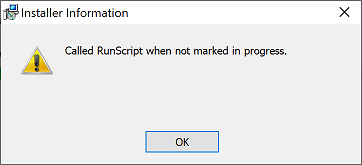
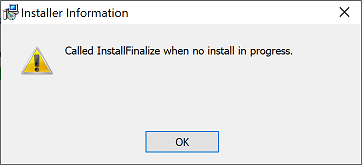
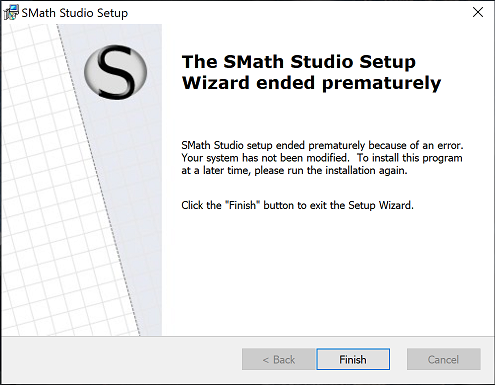
I am getting installation errors when attempting to install SMath Studio (from SMathStudioDesktop.0_99_7030.Setup.msi) on a Surface Pro 6 running Windows 10 Home. Two pop-up boxes appear, "Called RunScript when not marked in progress."; and "Called InstallFinalize when no install in progress."
I can install from the Microsoft Store but its version does not include the menus (there is another topic related to this).
I can install SMath Studio on a different PC running Windows 10 Pro.
Screen-shots and DXdiag output is attached.
Regards,
Michael
DxDiag_surface.txt (88,41 KiB) scaricato 1268 volta(e).
I am getting installation errors when attempting to install SMath Studio (from SMathStudioDesktop.0_99_7030.Setup.msi) on a Surface Pro 6 running Windows 10 Home. Two pop-up boxes appear, "Called RunScript when not marked in progress."; and "Called InstallFinalize when no install in progress."
I can install from the Microsoft Store but its version does not include the menus (there is another topic related to this).
I can install SMath Studio on a different PC running Windows 10 Pro.
Screen-shots and DXdiag output is attached.
Regards,
Michael
DxDiag_surface.txt (88,41 KiB) scaricato 1268 volta(e).

Please try if this helps. There and in other internet threads seems a problem about permissions.
If you like my plugins please consider to support the program buying a license; for personal contributions to me: paypal.me/dcprojects
Have you tried disable AV's, FireWall's ?
Would it install on a virgin Win 10 Home ?
Would it install on a virgin Win 10 Home ?
Davide - The date and time are accurate, I am using an administrator account and also tried reapplying permissions and copying the installation file to a folder with full access to everyone. I'll do a bit more digging on this topic, though.
Jean - I tried disabling real-time control for Windows Defender with no change. However, that is a point of difference with my desktop, which is running ESET. My Surface Pro is pretty close to 'virgin', I haven't done much with it.
Thanks so far,
Michael
Jean - I tried disabling real-time control for Windows Defender with no change. However, that is a point of difference with my desktop, which is running ESET. My Surface Pro is pretty close to 'virgin', I haven't done much with it.
Thanks so far,
Michael
I found running the MSI as an administrator via "run as administrator" context menu was successful. This menu option does not normally appear if you are an administrator, see How To Run MSI File As Administrator From Command Prompt In Windows for instructions. I used the MSI run as administrator option (second on the page) because running from the command prompt did not create shortcuts or make the application visible to the Windows uninstaller.
Thanks to Davide for the direction.
Regards,
Michael
Thanks to Davide for the direction.
Regards,
Michael
2 utenti hanno apprezzato questo post
1 pagine (5 elementi)
- Nuovi post
- Nessun nuovo post