
F8 Not working and Autocad integration - Messaggi

I am new to Smath (previously using mathcad) and I was wondering how do I use the search and replace funtion. F8 is not working for me
Also, is there a way I can insert a Autocad Drawing in the Calculation. I used it for sketchs
Thanks!
WroteI am new to Smath (previously using mathcad) and I was wondering how do I use the search and replace funtion. F8 is not working for me
Also, is there a way I can insert a Autocad Drawing in the Calculation. I used it for sketches
1. Capture AutoCad drawing
2. Paste in Paint as an image
3. Select from Paint, paste in Smath work sheet
4. Evaluate the calculations, slide in the Autocad image.
WroteWroteI am new to Smath (previously using mathcad) and I was wondering how do I use the search and replace funtion. F8 is not working for me
Also, is there a way I can insert a Autocad Drawing in the Calculation. I used it for sketches
1. Capture AutoCad drawing
2. Paste in Paint as an image
3. Select from Paint, paste in Smath work sheet
4. Evaluate the calculations, slide in the Autocad image.
It is not working for me. F8 is not doing anything. Am I missing any plug ins?
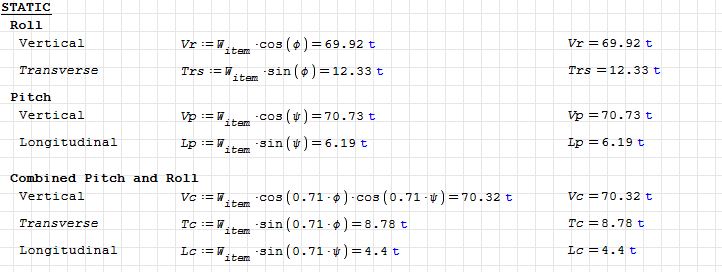
given my equation. I would like to add a new set of formulas instead of using the variable Witem to another (E.g. Wcargo)

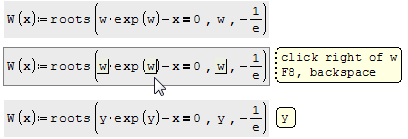
to use F8 renaming you have to be inside a region (when the text cursor is visible).
WroteIn a region, you can use the F8 key an you'll be able to rename all local variables/functions at once.
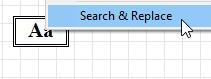
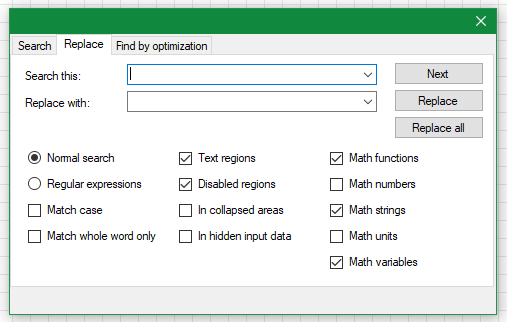
Globally, you can do it with the Text Region Utilities plugin.
WroteIt is not working for me. F8 is not doing anything. Am I missing any plug ins?
You don't have a global system like Davide example or Lambert W(x).
You must change each one as you wish.
WroteIt is not working for me. F8 is not doing anything. Am I missing any plug ins?
In that Pitch-Roll-Yaw document, you can try changing:
any of the [x,y,z,t] for whatever,
follow Davide demo in Q:=
try change 't' for 'u'
Presumably the Autocad draws something related to your snippet above.
If so, draw in Autocad, attach the image, preferably single color,
not too big for my small laptop screen.
I will try to combine the rotation of the image.
Rotate Parametric [t, xyz].sm (14,03 KiB) scaricato 995 volta(e).

WroteAlso, is there a way I can insert a Autocad Drawing in the Calculation. I used it for sketchs
If you really need this it is possible to made a dxf viewer plugin (based on netDxf). As for dwg we need free .net library for this format.
WroteAlso, is there a way I can insert a Autocad Drawing in the Calculation. I used it for sketchs
Rather, you mean insert calculations in the drawing.
Up to certain degree of complexity, Smath will render simple sketches.
Change svg:=1 for svg:=0.875 ... observe the plot !
Spline De Casteljau SVG Companion Drum.sm (43,09 KiB) scaricato 1184 volta(e).
Trunc(Number,part) added.
Spline De Casteljau SVG Companion Drum.sm (46 KiB) scaricato 1201 volta(e).
- Nuovi post
- Nessun nuovo post