
Stable: SMath Studio 0.98.6606 (01 February 2018) - Messaggi

SMath Studio
Tiny, but powerful mathematical program with WYSIWYG editor and complete units of measurements support.
Offre numerose funzionalità di calcolo e un'interfaccia utente ricca, tradotta in circa 40 lingue diverse. L'applicazione include inoltre un prontuario matematico integrato.
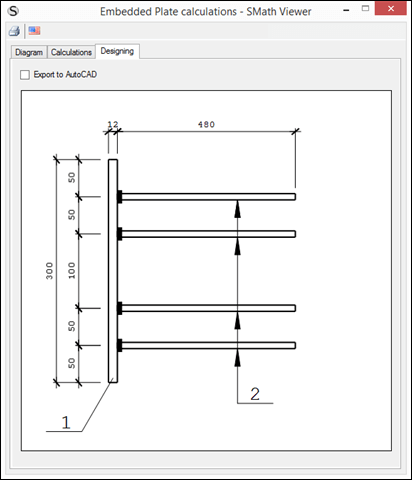
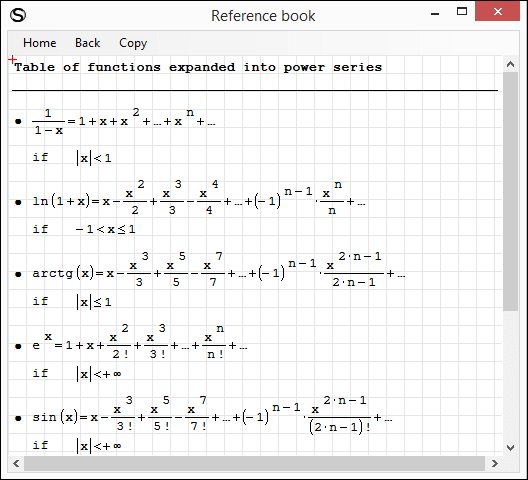
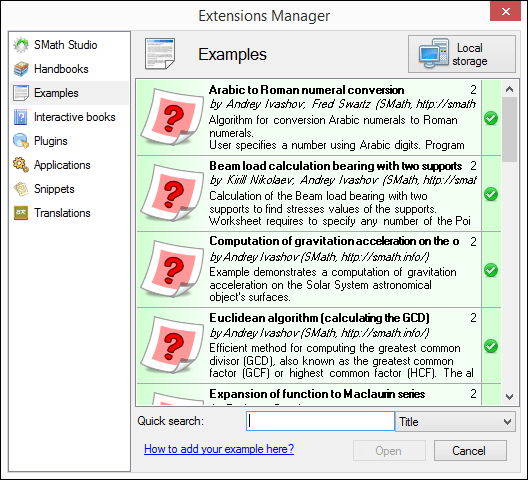
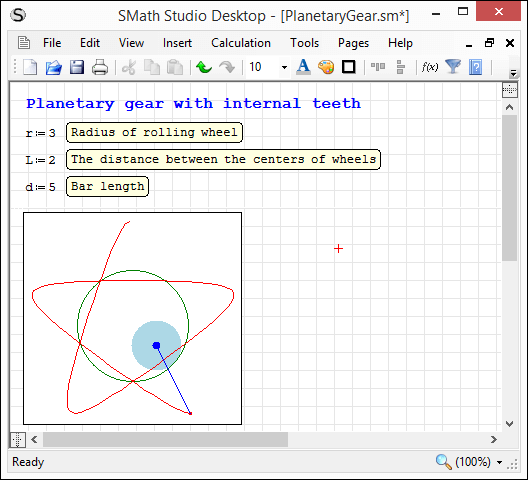
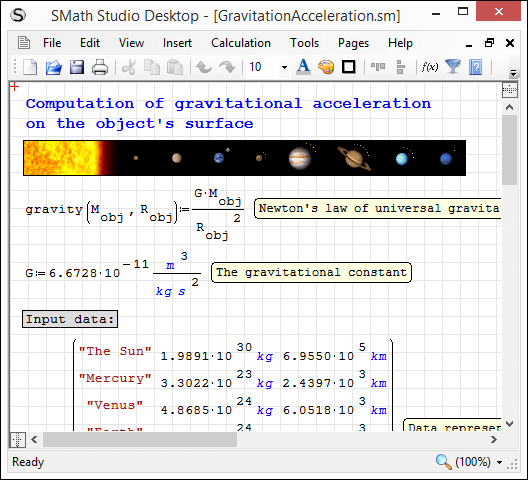
L'applicazione può essere facilmente estesa in base alle proprie esigenze. Lo strumento integrato "Gestione estensioni" consente di accedere a centinaia di risorse, sia ufficiali che di terze parti, tra cui: esempi d'uso, plug-in, applicazioni basate su SMath Viewer, frammenti di codice, traduzioni dell'interfaccia, libri interattivi, manuali e tutorial.
Download
SMathStudioDesktop.0_98_6606.Mono.tar.gz (1,25 MiB) scaricato 2773 volta(e).
SMathStudioDesktop.0_98_6606.Setup.msi (2,11 MiB) scaricato 7992 volta(e).
- Desktop (Windows):
Framework: .NET Framework 2.0 or higher - Desktop (Linux):
Framework: Mono 2.0 (libmono-winforms-2.0-cil package) or higher
- [ARA] Arabic / العربي
- [BEL] Belarusian / Беларуская
- [BUL] Bulgarian / Български
- [CAT] Catalan / Català
- [CHS] Chinese (Simplified) / 简体中文
- [CHT] Chinese (Traditional) / 簡體中文
- [CPP] Portuguese (Brazil) / Brazil (Português)
- [CZE] Czech / Čeština
- [DAN] Danish / Dansk
- [DUT] Dutch / Nederlands
- [ENG] English / English
- [FAS] Persian / فارسی
- [FIN] Finnish / Suomi
- [FRE] French / Français
- [GER] German / Deutsch
- [GRE] Greek / Ελληνικά
- [HEB] Hebrew / עברית
- [HUN] Hungarian / Magyar
- [IND] Indonesian / Bahasa Indonesia
- [ITA] Italian / Italiano
- [JPN] Japanese / 日本語
- [KOR] Korean / 한국어
- [LAV] Latvian / Latviešu
- [LTH] Lithuanian / Lietuvių
- [NOR] Norwegian / Norsk
- [POL] Polish / Polski
- [POR] Portuguese / Português
- [RON] Romanian / Română
- [RUS] Russian / Русский
- [SCC] Serbian (Latin) / Srpski
- [SCR] Croatian / Hrvatski
- [SLK] Slovak / Slovenčina
- [SPA] Spanish / Español
- [SRP] Serbian (Cyrillic) / Српски
- [SWE] Swedish / Svenska
- [TUR] Turkish / Türkçe
- [UKR] Ukrainian / Українська
SMath Studio tutorial by Bernard Liengme.
 SMathPrimer.pdf (Date: 11.11.2011. File size: 2.06MB) - to open in Adobe Acrobat Reader
Introduction of the use of SMath Studio by Gilberto E. Urroz, Ph.D., P.E.
- SMathStudio.0_85.Article.Eng.pdf (Date: 23.09.2009. File size: 828.96KB) - to open in Adobe Acrobat Reader
- SMathStudio.0_85.IOFiles.Article.Eng.pdf (Date: 27.09.2009. File size: 453.24KB) - to open in Adobe Acrobat Reader
- SMathStudio.0_85.NumericFunctions.Article.Eng.pdf (Date: 18.10.2009. File size: 622.45KB) - to open in Adobe Acrobat Reader
- SMathStudio.0_85.Programming.Article.Eng.pdf (Date: 18.10.2009. File size: 411.74KB) - to open in Adobe Acrobat Reader
SMath Studio icons (
 SMathStudio.Icons.zip (Date: 12.04.2010. Size: 63.74KB)

Just some observations:
The excel file plugin won't load.
If you move a region with the mouse, it sometimes vanishes. For the attached sheet this is particularly reproducible. It seems to be limited to moving regions upwards. Downward move never remove a region.
Recovery from such deletions is just by Ctrl-Z.
Sorry this example requires Maxima. Perhaps it is related to Maxima, but non-Maxima regions are affected as well.
File non trovato.File non trovato.
The new page view isn't just a page view, it also wraps region and as such changes the formatting of the document.
Yes, I can confirm there are some issues appears because of collapsed areas. It is regarding moving regions and drawing red cursor. I will address these issues asap.
Regarding new way of positioning regions with a page view: yes, there is another approach used for regions locations - they always should be fully visible within a page (with some exceptions). But please, note: view used during work with a worksheet always stored as a part of this worksheet. So, if you have created a worksheet without new pages view turned on, then your program will always show it as you expected. Of couse if someone have designed a worksheet as pages, then you will open these worksheets in pages view automatically (doesn't matter what global setting you use for your copy of SMath Studio).
That means your document will never be broken because of the worksheet view you (or someone else) are using. But of course program always allow you to switch between view modes - you just need to understand that such a switch may result in different number of pages on print out (again, you can switch it back to restore initial regions layout).
The main idea here is that view switching is safe operation and you are able to play with it without any worries to break a document. But it introduces something new, which may be important for some users.
Pages view is always good thing because now I have prepared everything (almost) to start implementation of full functional user defined headers and footers. For me this is a starting point to make SMath Studio better in documents visualization and interaction.
Best regards.
Ihanks for the explanations. I was irritated by the coupling of two features, which as well be could have independent settings,
1. Page view with margins and (possibly later) the headers and footers
2. Page wrap of regions
If I want to prepare a document for printout, page wrap is great. But I don't necessarily need a top and bottom margin preview then but rather would benefit from seeing more regions at once on screen. I'd check the margins or headers and footers just occasionally before printout or otherwise publishing a sheet. Thus, the rigid coupling between the two doesn't seem natural to me.
Of course, a realistic and editable preview of the margins and decorations is much better than the old style print preview in the File menu.
Given the attention which document formatting currently receives, I guess that there are more features in the pipeline like some integration of a rich text region with line wrap, section header styles and the like...
BTW I don't agree with other user's statement that formatting is the major advancement in the new stable release. To me, it's the use of indices and index vectors in assignments, much like the Mathcad range variables. In fact, there is good reason to revisit legacy sheets and make them more readable using this new feature.
As to the formatting:
I like the units being upright instead of italic now and flawless scaling or zooming is great.
I am not so convinced of the small font subscripts, as they force me to use a larger base font or a higher zoom level to be able to read them with my bad old eyes. This againg goes at the cost of the viewable section of the document on screen. How about a viewing option: small text subscript? Vector indices aren't small anyways and I hope they never will be.
Best regards, Martin
"Added ability to configure formatting of every type of the equation entries (font, size, color, etc.). See "Tools" > "Options" > "Equations formatting""
However in my Tools > Options menu, I only have tabs for "Interface" and "Calculation". I also see nothing in regards to "Equations formatting" under these tabs.
Is this an error or am I missing something?
Thank you.

WroteI see this listed in the changes:
"Added ability to configure formatting of every type of the equation entries (font, size, color, etc.). See "Tools" > "Options" > "Equations formatting""
However in my Tools > Options menu, I only have tabs for "Interface" and "Calculation". I also see nothing in regards to "Equations formatting" under these tabs.
Is this an error or am I missing something?
Thank you.
The changelog is an automated cumulative list of the changes since the latest stable version; in the miscellaneous part you can see that the feature you mentioned was removed:
CitazioneEquations formatting setting removed from Options dialog
Since I use A4, everytime I open Smath I have to change paper size from Letter to A4.
I looked settings file, regedit etc. Couldn't find anything related to this.
Maybe I didn't looked enough.
Regards
WroteIs there any way to open Smath with a default paper size?
Since I use A4, everytime I open Smath I have to change paper size from Letter to A4.
I looked settings file, regedit etc. Couldn't find anything related to this.
Maybe I didn't looked enough.
Regards
Nope, it is part of [SS-1235]
As for now the only way it is to save an empty document somewhere and use it as a kind of template (open it, "save as" and start coding)
I have a problem with newly added feature: "Pages mode of worksheet visualization implemented (in test mode temporary; press Ctrl+Alt+L to activate);".
I am from Poland and in our language we have a lot of diacritic symbols which are written by using "right alt (ctrl+alt) + symbol" like for example ą, ę, ć etc. and shortcut ctrl+alt+l is used for ł.
Implementation of this feature results in accidental changes of "page mode" during normal writing.
It would be great if it could be improved.
Best Regards.
WroteThank you, Martin.
Yes, I can confirm there are some issues appears because of collapsed areas. It is regarding moving regions and drawing red cursor. I will address these issues asap.
I have worked a bit with documents containing area regions. The user experience really suffers from bugs because you can't move regions around even without being in margin preview mode. When you release the mouse, the dragged or cloned regions jump away.
If that can't be fixed immediately (which is perfectly ok), I'd recommend to issue a 6598-based stable version, possibly with some bug fixes but without new features, or at least re-classify 6606 as release candidate rather than as a stable version.
This would keep the trouble of testing leading/bleeding-edge development features within the group of the nightly-builds users.
I would like to thank ALL of the developers for their work!!

Any inkling, from Mathcad on
- integrating the Writer Region plugin so we can have some formatting out of the box

- "shading" the page to see blank areas. MathCAD it is "view --> Regions" (Easier on the eyes/screen, and still prints white)
- insert/delete lines (helpful with inserting images and deleting too much unused space quickly)
- be able to change default units (sorry, I live and work in the US. I wish we would just go metric already
 )
- updating the PDF files/help guides for the new features. Forums are great but for some reason, my links/favorites are broken. I thought some of the items might be documented in the help Wiki and it's not

- equation "wrap" for long equations
It appears as if Text Region Utilities plugin is not compatible with this version
Unfortunately, I've been on site more than designing lately and need to get back into updating files with new features!!!
Error message something like object reference not pointing to an object instance.
Not sure when it happened but somewhere between the prior stable release and now the page layout for SMath is messed up on my PC.
Try opening this file in current and previous stable release to see the difference.
Is this a known issue?
CHBDC-DevelopmentLength&Splice.sm (109,59 KiB) scaricato 1997 volta(e).
Regards
WroteIs this a known issue?
Compared between 0.98.6179 and 6606/6611 - do not see any differences (except font style of equations, of course).
Please could you describe what is wrong exactly (maybe with screenshots)?
Best regards.
WroteWroteIs this a known issue?
Compared between 0.98.6179 and 6606/6611 - do not see any differences (except font style of equations, of course).
Please could you describe what is wrong exactly (maybe with screenshots)?
Best regards.
Hi Andrey,
I have printed both versions to PDF; font size set to 8.
File non trovato.File non trovato.
WroteI have printed both versions to PDF; font size set to 8.
I've investigated this and answer is pretty simple. You have non-standard DPI on the machine where you created this worksheet and all previous versions of SMath Studio was not able to work correctly on such machines. Unfortunately.
But latest versions of SMath Studio allows you to work with no matter what DPI is set on your PC. Result will always be the same.
Please compare those regions with blue background you have added before exporting to PDF. Do you see strange spaces with 6179 build? This is exactly because old versions of SMath Studio had bugs related to DPI.
So, I would suggest just to fix layout for the documents you have. Starting from now you will never see such issues (I really believe so).
Sorry for inconvenience, but DPI related bug was really hard to fix and it was very annoying.
Best regards.
WroteHello Alex.
WroteI have printed both versions to PDF; font size set to 8.
I've investigated this and answer is pretty simple. You have non-standard DPI on the machine where you created this worksheet and all previous versions of SMath Studio was not able to work correctly on such machines. Unfortunately.
But latest versions of SMath Studio allows you to work with no matter what DPI is set on your PC. Result will always be the same.
Please compare those regions with blue background you have added before exporting to PDF. Do you see strange spaces with 6179 build? This is exactly because old versions of SMath Studio had bugs related to DPI.
So, I would suggest just to fix layout for the documents you have. Starting from now you will never see such issues (I really believe so).
Sorry for inconvenience, but DPI related bug was really hard to fix and it was very annoying.
Best regards.
Thank you Andrey, glad this was fixed - i will update my worksheets
- Nuovi post
- Nessun nuovo post