
How to make the comments for text or plot or pucture regions - How to make a commenst in pop-up like in the text-region - Mensajes

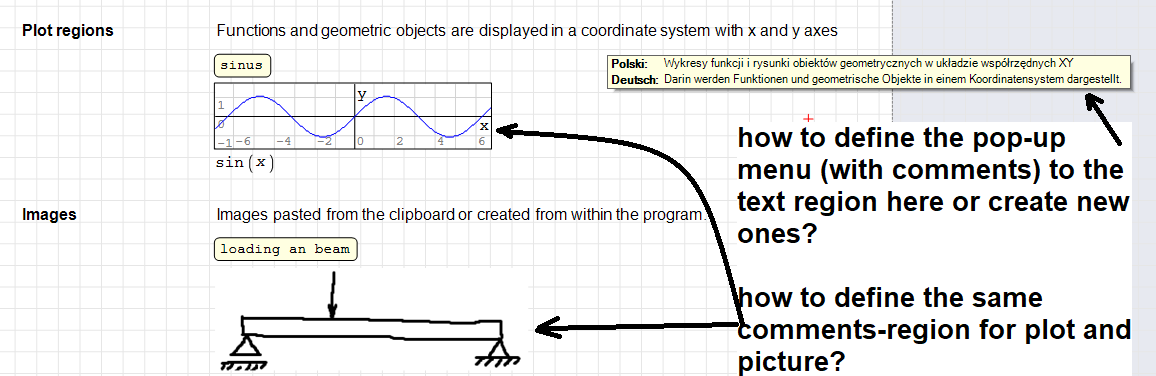
I have a question regarding a commenst in pop-up, if one with mouse selects a text-region.
Please see you a screenshot hier below.
Best regards,
Andrey
That is only available for text regions, which might be translated into different language.
Same feature is not available for other objects (images, graphs) which cannot be translated
WroteIf I understand correctly, you are referring to pop-up with multilanguage text.
That is only available for text regions, which might be translated into different language.
Same feature is not available for other objects (images, graphs) which cannot be translated
thank you very much.
Then the question occurs by me, how can one act this 'Text Region', is this a plugin?
thanks in advance
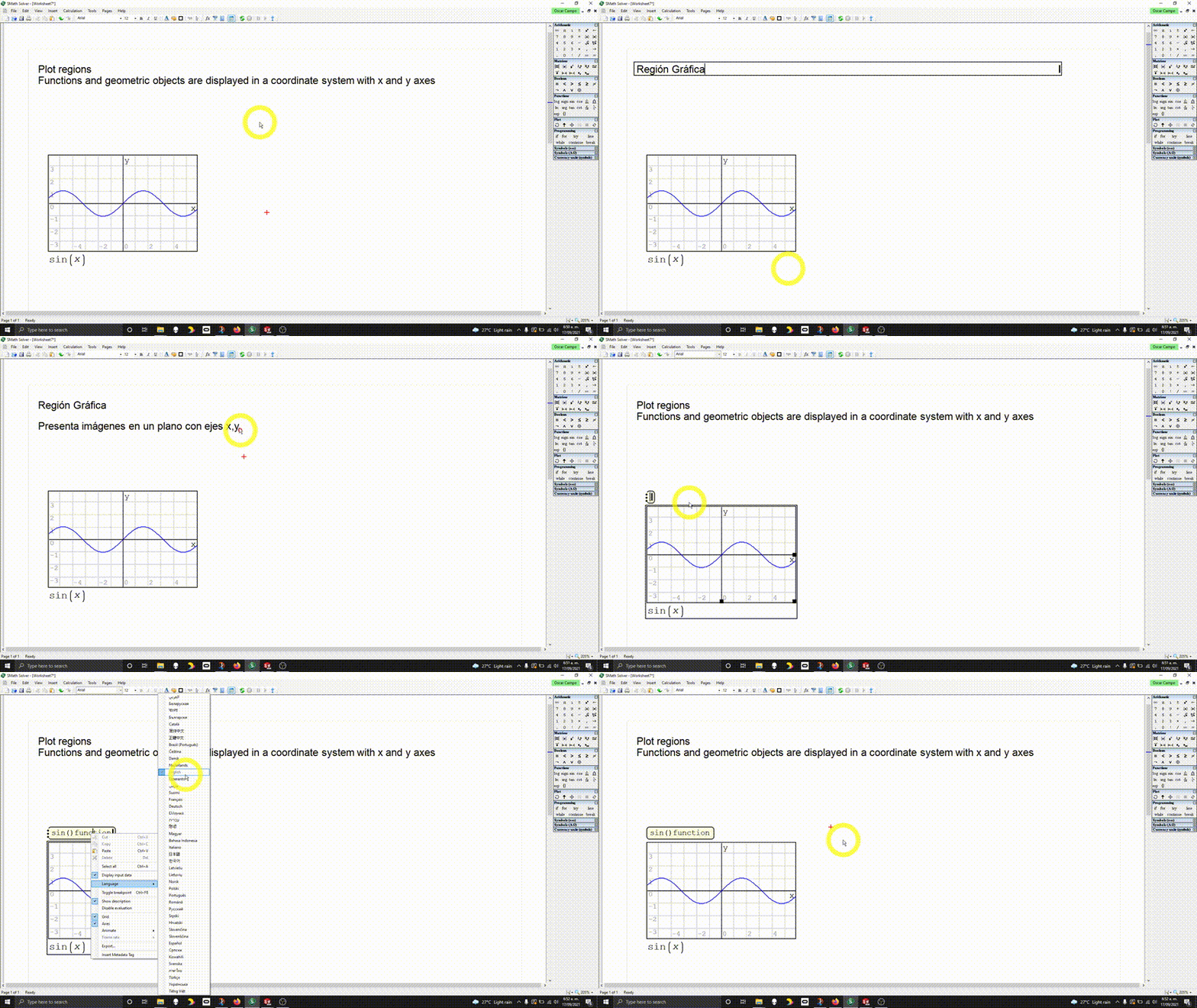
Right-click on a text region, you will have the chance to "change language" to the text, thus writing the same sentence or word in every different language you want.
Hoovering the mouse on the sentence will then display different languages in the pop-up. You can set which language to display (when multiple are available) in your SMath settings.
WroteTo write a sentence with a space in it, or placing " before writing a word... that will turn the sentence or word into a "text" from SMath point of view (named Text Region, something that is obviously not calculated, not stored as variables, and so on..)
Right-click on a text region, you will have the chance to "change language" to the text, thus writing the same sentence or word in every different language you want.
Hoovering the mouse on the sentence will then display different languages in the pop-up. You can set which language to display (when multiple are available) in your SMath settings.
I understood how this works. Thanks for the help.
Best regards,
Andrey

WroteDear SMath-user and developers,
I have a question regarding a commenst in pop-up, if one with mouse selects a text-region.
Please see you a screenshot hier below.
(...)
Best regards,
Andrey
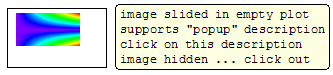
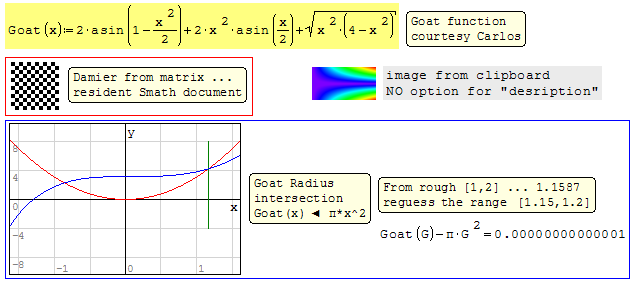
Maybe this can help you:
- Nuevos mensajes
- Sin mensajes nuevos