
Modeller Region - Introduction of Modeller Region with how to use step-by-step instruction - Mensajes

At the moment I cannot drag any object from the template pane to the modeller region.
I am using 0.99 (6839)
But you can test it easily by opening the example in the first post online. There it doesn't work, too.
Also the tooltip by hovering the any template objects appears only rarely.
Editing already exiting objects works fine.
kind regards,
Martin
WroteAt the moment I cannot drag any object from the template pane to the modeller region.
From the 5 years ago # post, it looks like Modeller was left in limbo.
6179 has no object in the template pane... just a dead cumbersome
region of no use for real projects.
Wrote
I am using 0.99 (6839)
But you can test it easily by opening the example in the first post online.
Or offline:
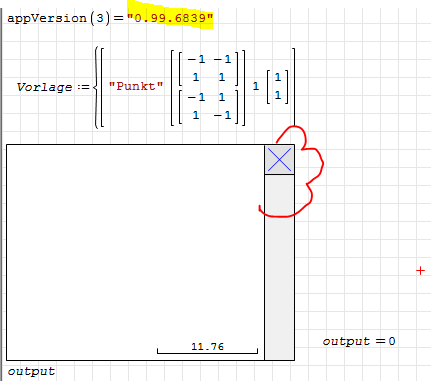
WroteI am using 0.99 (6839)
I can reproduce Martin example [some comments added]
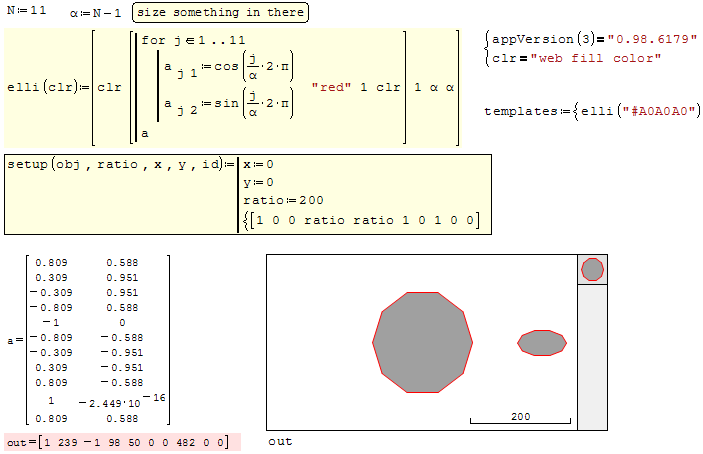
I have downloaded an examples with modeller region and I can move/change shapes in modeller but I can't add new shapes from templates bar.
Does anybody can help ?
WroteI can't add new shapes from templates bar.
I can't add new shapes from templates bar.
You can only add shapes that you have created or borrowed from unknown sources
In this document, two objects were created and installed in the template
N =5 => yellow square
N 13 => light gray dodecagon
Check if it works in your SS version
modeller-demo-Kr.sm (15,04 KiB) descargado 1532 vez(es).
I have opened your document and I see that 3 shapes (2 dodecagon and 1 square) have you added to moddeller work space from template bar.
But I can't select and add any shape from template.
As I said - drag and drop function not works.
One more thing.
I have downloaded "RainboGame.exe" and drag and drop function works fine.
But it has not work in "exe" files created by me.

WroteAt the moment I cannot drag any object from the template pane to the modeller region.
WroteThe "Drag and drop" function is not working
Updated, please try now.
Now I can drag and drop shapes but I can't zoom in and out shapes using mouse scroll.

WroteNow I can drag and drop shapes but I can't zoom in and out shapes using mouse scroll.
You can only zoom the modeller canvas, not the single shapes (even in previous versions).
P.S. another update made because templates weren't detected on mouse move (no template name shown, f.e.)
WroteYou can only zoom the modeller canvas, not the single shapes (even in previous versions).
SS 6179, zoom is by handles and thus fabricate otherwise than native.
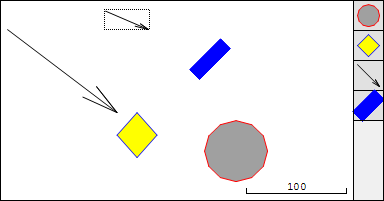
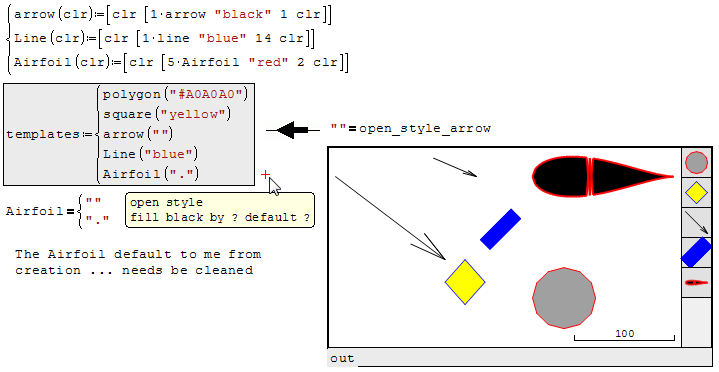
1. The blue line come automatically 45° ... make it as thick as desired.
2. The arrow, you can rotate at will from the creation.
Observe the the empty "" fill arrow
3. Fill color applies to closed shapes
4. for some weird figure it can be done by digitizing and collecting the XY vector.
Modeler takes only pairwise XY vector ... not matrix
modeller-demo-Kr.sm (27,66 KiB) descargado 1509 vez(es).
modeller-demo-Kr.sm (39,55 KiB) descargado 1532 vez(es).
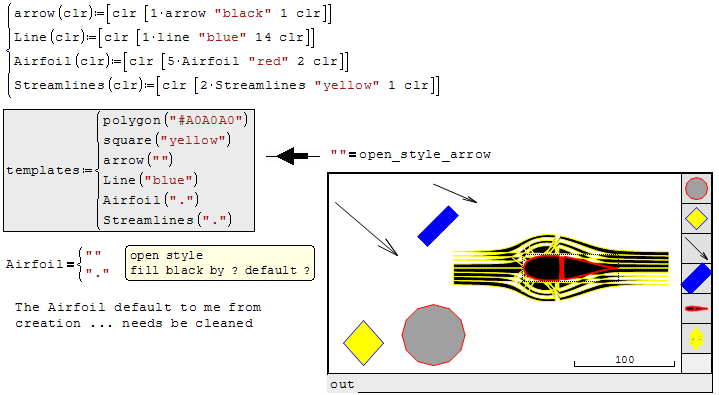
Some cleanup needed ...
modeller-demo-Kr.sm (133,16 KiB) descargado 1560 vez(es).
See attached.
Modeller - Shapes - Canvas Center.sm (11,29 KiB) descargado 1538 vez(es).
WroteIs there anyway to have the center of the modeler canvas moved so that (0,0) is not at the center?
Maybe YES ... in the attached objects are disposed/located.
modeller-demo-Kr.sm (162,97 KiB) descargado 1504 vez(es).
WroteIs there anyway to have the center of the modeler canvas moved so that (0,0) is not at the center?
AFAIK, not as you state it. Why do that ?
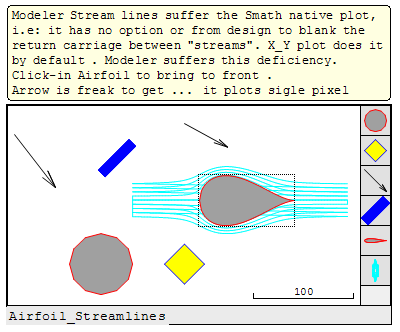
1. Slide the shape [circle] in the canvas.
2. Click-in to see the dotted frame [3 big black dots per side]
3. Double click to get the coordinated [X,Y]...[0,0 = centered canvas]
...width/height for circle/ellipse ...size the shape [zoom ±].
If you have some difficulties ... please don't hesitate.
modeller-demo-Kr.sm (164,23 KiB) descargado 1564 vez(es).
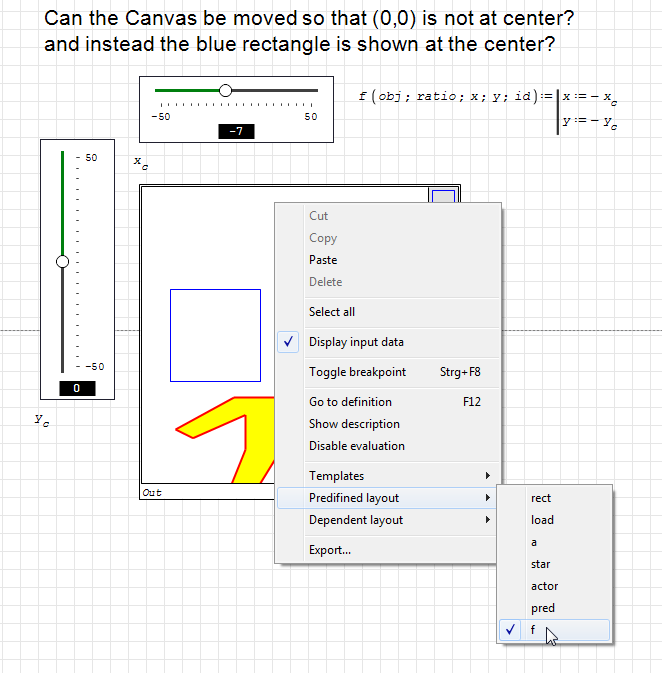
WroteIs there anyway to have the center of the modeler canvas moved so that (0,0) is not at the center?
Yes, but to make it interactive, you need slider regions. Use a function as predefined layout. It's third and fourth arguments are channels to convey the canvas co-ordinates.
The canvas is centered at these co-ordinates, evaluated for the default scale.
The default scale is given by the second entry of the dependent layout row vector.
Modeller%20-%20Shapes%20-%20Canvas%20Center_Kr.sm (13,6 KiB) descargado 1815 vez(es).
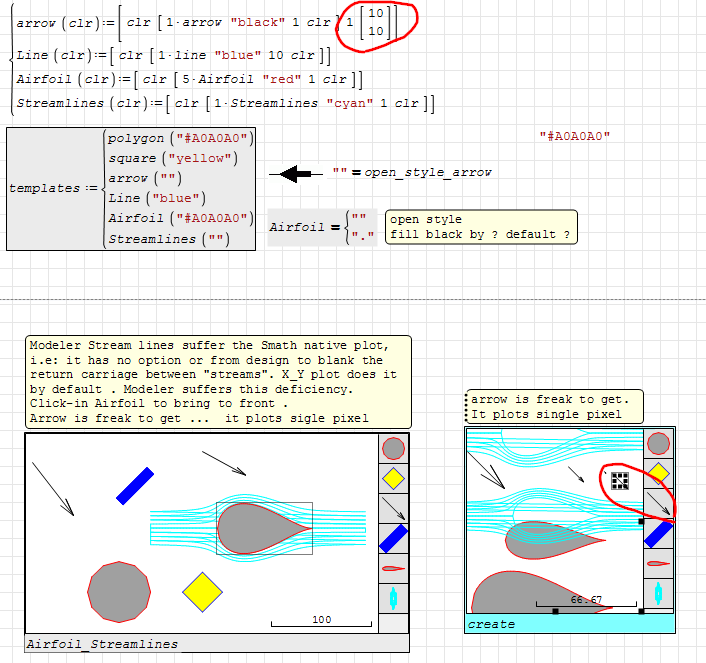
WroteJean, in your example you could specify an appropriate default size of the objects. Then the arrow template doesn't appear as a single dot any more.
Thanks Martin, most appreciated ... updated.
modeller-demo-Kr.sm (162,81 KiB) descargado 1579 vez(es).
- Nuevos mensajes
- Sin mensajes nuevos