
FEA BEAM ANALYSIS PLUGIN - Mensajes

Although I have been using SMath for a good 6 years, this will be my first question on the forum.
I would like to know, while using the FEA BEAM ANALYSIS PLUGIN, how can I edit the units displayed on the 2D plot? It is by default in Imperial units and I would like it displayed in Metric Units.
Thanks :d
WroteI would like to know, while using the FEA BEAM ANALYSIS PLUGIN, how can I edit the units displayed on the 2D plot?It is by default in Imperial units and I would like it displayed in Metric Units.
Work sheet would help those using this plugin.
WroteWroteI would like to know, while using the FEA BEAM ANALYSIS PLUGIN, how can I edit the units displayed on the 2D plot?It is by default in Imperial units and I would like it displayed in Metric Units.
Work sheet would help those using this plugin.
I have looked at the worked example provided and it is not discussed.
https://smath.info/file/yz5sc
and it is in SI units.
Can you point to the file you refer to or upload it?
Best regards.
Alvaro.
I have been using SMATH for the past few months and believe it is a great tool. I am new to this forum and joined this space for the exact same question as Gwannas.... how can I edit the units displayed on the 2D plot, while using the FEA BEAM ANALYSIS PLUGIN? It is by default in Imperial units and I would like it displayed in Metric Units.
Did anyone managed a solution for this?
Any help is appreciated.
Thanks
WroteIt is by default in Imperial units and I would like it displayed in Metric Units.
1. Disretize your Imperial,
2. Convert the X's in metric,
3. Convert the Y's in metric,
4. Re-tabulate/augment/plot
... you can convert both directions globally
Cheers
WroteIt is by default in Imperial units and I would like it displayed in Metric Units.
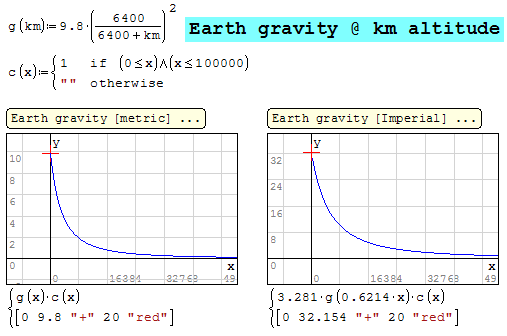
Maybe that's just what you want ... in vice versa system
Thank you so much for your reply.
I do understand your view yet when using the BEAM plugin I do not have access to the data that is generating the plot (or at least I don't know how to access it, perhaps you can shed some light on that

I will try to take some screenshots so you can see what I have on my screen.
WroteI do understand your view yet when using the BEAM plugin I do not have access to the data that is generating the plot (or at least I don't know how to access it, perhaps you can shed some light on that
The all thing is a plugin, most probably can't do anything
unless designed to enter inputs in metric. Only the Creator
has an answer ... something like CoolProp.
On the other hand, your local regulations will reject as
not proven/certified. So, just classroom stuff.
I had the best sleep of my life in Norfolk [old mansion among ships]
Cheers.
This is such a shame as it is very limiting to show the plots.
I can input with different units, that is not a problem, its the plotting(shear, moment, deflection) that only comes up in the imperial unit....
Is there anyone with access to the code?
Norfolk is a beauty indeed
Thanks once again

Thanks for letting me know.
Any thoughts on where should I start with that "wrap function?
Have a good weekend.
Thanks,
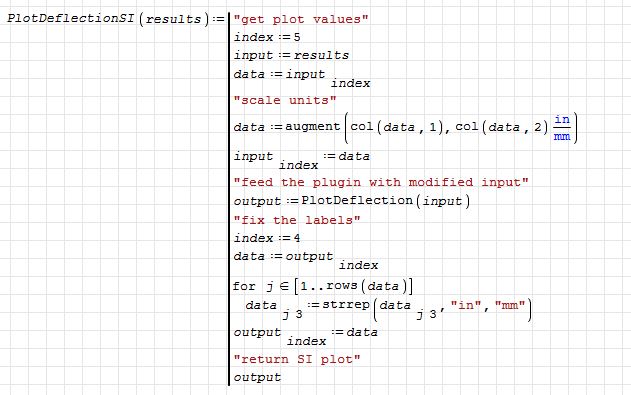
- Scale the input values
- Process FEA results using the plugin
- Fix the labels
or
- Process FEA results using the plugin
- Scale the output values
- Fix the labels
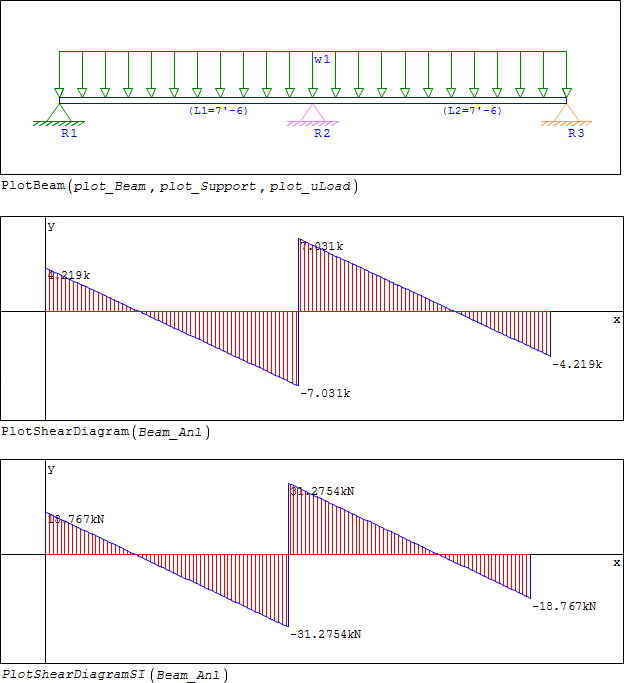
PlotShearDiagramSI.sm (5,03 KiB) descargado 1313 vez(es).
- Nuevos mensajes
- Sin mensajes nuevos