
Slider Region - Adds a slider control - Mensajes




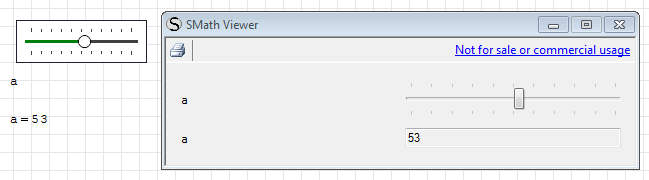
- requirements: SMath Studio 0.96.5146 or later;
- installation: download the plugin from the gallery;
- documentation: see Slider Region.sm (31,09 KiB) descargado 1829 vez(es).;
- sources: all the updated sources are available in the SVN repository.
Control Regions: CheckBoxList | ComboBoxList | ConditionallyFormattedLabel | NumericUpDown | PathPicker | RadioButtonList | Slider

It seems that Controls menu item appeared twice under Insert with two of your plugins. On is Insert=>Controls=>Slider as well as Insert=>Controls=>Numeric up-down
Regards,
Radovan

I noticed one minor issue: "=" keyboard button handled as "+" by the control.
Regards.
WroteIt seems that Controls menu item appeared twice under Insert with two of your plugins. On is Insert=>Controls=>Slider as well as Insert=>Controls=>Numeric up-down
Thank you! Good catch!
 This is SMath Studio issue which will be fixed later. It is described here: http://en.smath.info/forum/yaf_postst2316_-DEV--group-MenuButtons-having-childrens.aspx
Regards.
WroteWroteIt seems that Controls menu item appeared twice under Insert with two of your plugins. On is Insert=>Controls=>Slider as well as Insert=>Controls=>Numeric up-down
Thank you! Good catch!
By the way, it can be quite confusing an to long menu item without some reordering and grouping things of the Insert menu.
Regards,
Radovan
WroteI noticed one minor issue: "=" keyboard button handled as "+" by the control.
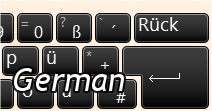
Seems a little big problem... I noticed now that english and russian layouts have "+" and "=" on the same key, and the plus symbol needs the SHIFT modifier; in the italian layout the "=" key is activated with the "SHIFT"+"0" combination and the "+" sign is in the same key of the "*", but is activated without SHIFT modifier.
So the question is: how I can use the Keys.Oemplus without localization issues? (because I suppose that the Italian layout is not alone in the universe of the keyboard layouts)

With the premise that it is not critical ("=" should not be used in this region), looking the web seems to me that the OnKeyDown is the wrong event to check this, the OnKeyPress probably should be better (but I'm not sure).
WroteBy the way, it can be quite confusing an to long menu item without some reordering and grouping things of the Insert menu.
I think also that something is in the wrong place (like the Martin's Maxima items or my Development tools, these should be moved in the "Tools" menu - but this is a secondary thing)


WroteIn order to improve the practical usability of the slider, I propose, of course if it is possible, to include inside the object draw, labels for the current selected value and also for the minimum and the maximum values at least.
Hi Ioan,
it's not impossible, just a little bit annoying
I think that I can add both the solutions (current value and start/end values).
BTW in the preliminary "documentation stage" of this plugin, I've seen some sliders using primary ticks (with optional numbering) and secondary ticks (without numbering). This was discarded because the approach is completely different from that used in the standard .NET controls, so the SMath Viewer would have been a big tricky (with total rewriting of the default Control code)
Best regards,
Davide
(SMath Studio 0.97.5189)
- code updated to fit the new APIs features;
- settings with double-click over the region (as for the other control regions);
- hidden the outer frame (still remains as transparent to avoid interferences with resize markers).
(SMath Studio 0.97.5189)
- SMath Viewer: uses the region description (if exist and is shown).
- Fixed unintentional change of value on resize;
- Yesterday: Plugin updated to respect changes in SS Core;
- Yesterday: fixed MouseWheel vs recalculation;
- Yesterday: fixed +/- keys vs keyboard layout;
- Introduced settings from canvas (see attachment);
- History Undo/Redo now is supported;
canvas settings.sm (22,29 KiB) descargado 1821 vez(es).
WroteFor practical use, I have two question:
1. "settings_numUpDown" is a dedicated unique name for parameters settings ?
You can define a different set of settings for each control in the worksheet, and you can use the name you want; I've changed the variable name in the attachment, to avoid misunderstandings.
Wrote2. for each of a set of controls, the "CustomVarName" used is the last one declared ?
The last definition before each single control is the only one parsed and loaded (if valid). If you override the variable between two controls which are linked to the same variable, the 2nd control will contains different settings than the first.
BTW I've updated both Slider and NumericUpDown regions, now the list of available settings is alphabetically sorted and subscripts in variable names are localization-proof.
____________________________________
Amazing: my Smath came with the slider, I played a bit and found useless
as not having the fractional range from script. Whether useless for me
is not my point. My point is that now it is gone from the insert menu.
How come it died by itself ? On the other hand, the Mathcad slider was
not recognised by PDF.
Wrote"As for now, do not use this plugin for productivity."
I can remove this warning, the plugin is stable and I've not noticed requests of deep changes in the core features.
WroteAmazing: my Smath came with the slider
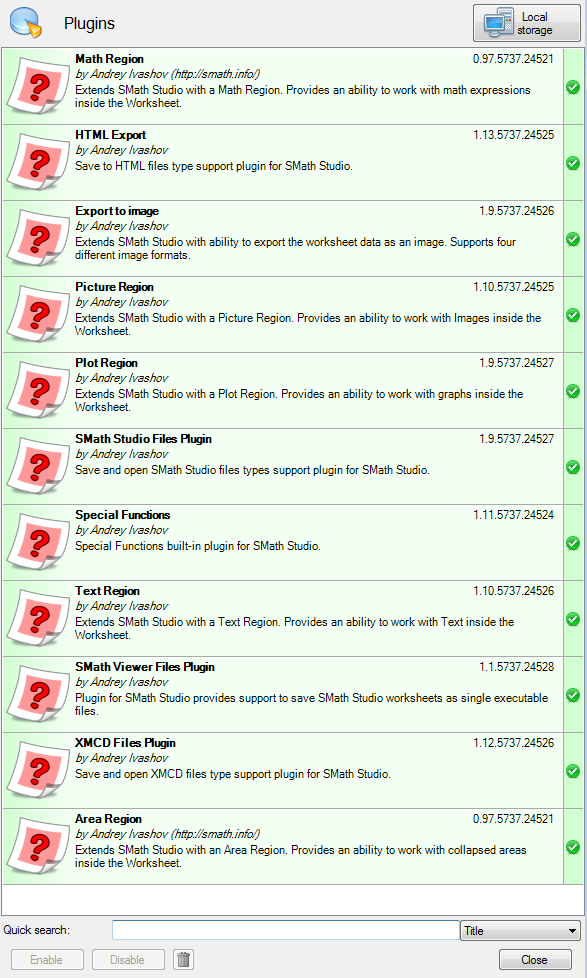
This is not possible. A clean installation (no SS available before or deep cleaning after an unistall) comes out with the plugins shown in the spoiler. If you have any other plugin it is because they were installed in a previous version of SMath Studio, manually downloaded from the Extensions Manager or downloaded by opening worksheets in which these plugins are used.
WroteI played a bit and found useless
as not having the fractional range from script.
To provide compatibility with the Windows trackbar in SMath Viewer any value (max value, min value, increment, output value) must be an integer; to mitigate this limitation I've introduced a scale factor.
WroteMy point is that now it is gone from the insert menu.
How come it died by itself?
You can see a document that contains this plugin without the "Slider" item in the insert menu?


As for now there aren't labels in this region, neither for the ticks nor for the current value.
The only way to display the value is to place a math region near the control.
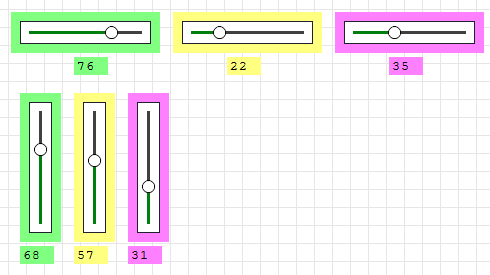
BTW, fixed missing settings on save. PLUGIN UPDATED.
I've updated the plugin adding a label for the current value (SMath Studio/SMath Viewer)
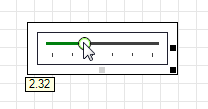
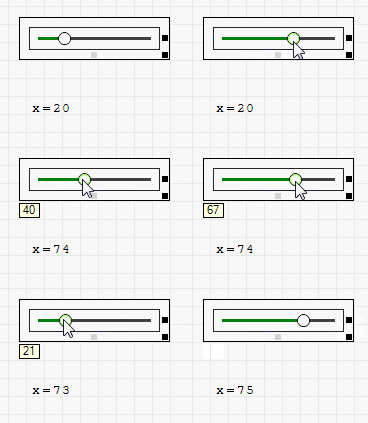
the label should be visible by default on cursor changes.
- Nuevos mensajes
- Sin mensajes nuevos